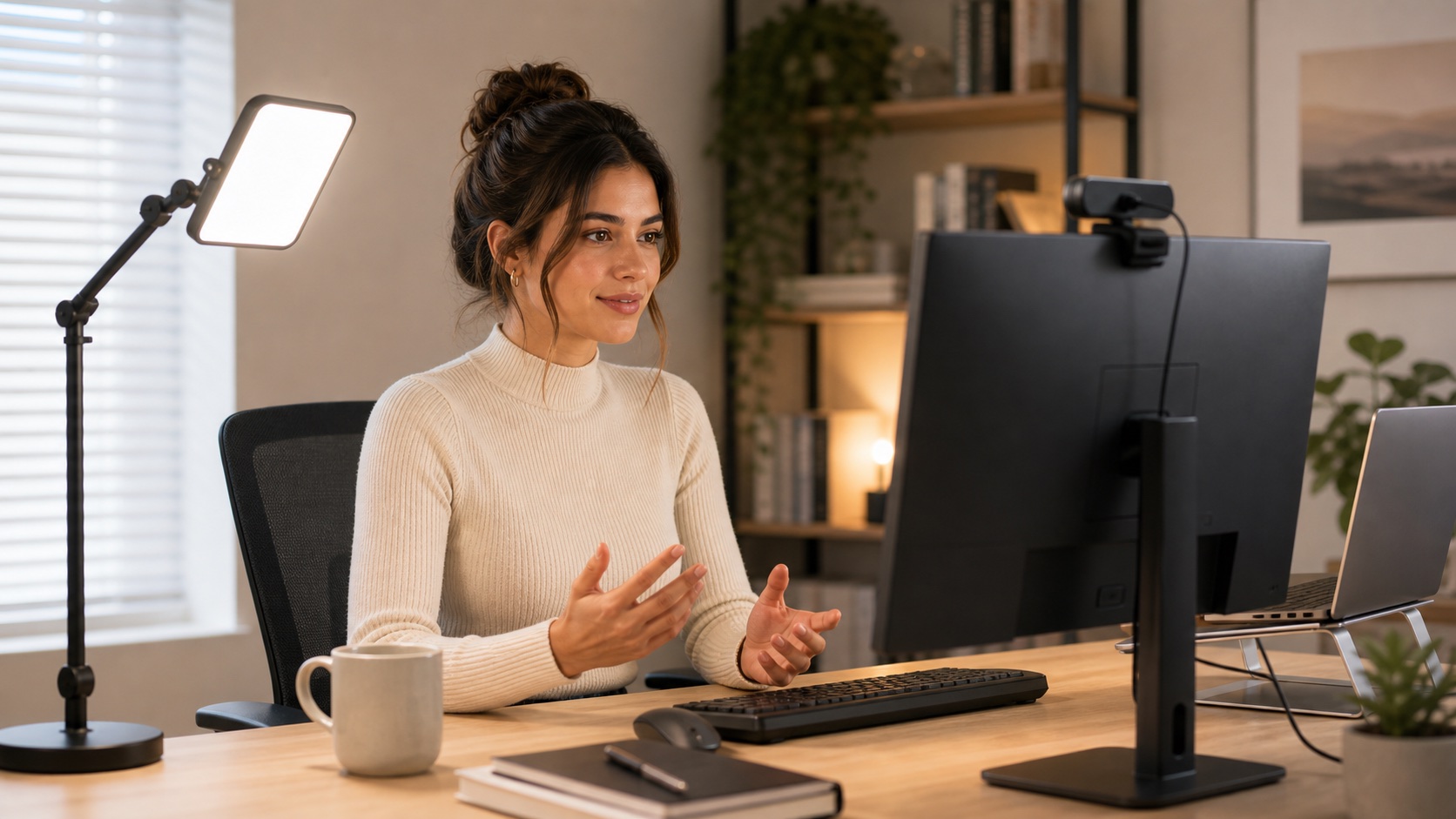
This guide is based on product specs, manufacturer positioning, Amazon review summaries, Google and TikTok search patterns, and Reddit-style buyer feedback. It is not hands-on lab testing. Lighting is also weird: the same light can look great in one room and harsh in another, so use the picks below as starting points, not absolute answers.
The short version: most "I look bad on Zoom" complaints are lighting problems, not webcam problems. A better camera will not fix a backlit window or a dark face. Get a small front light first, then think about everything else.
The Direct Answer: Best Lighting for Zoom Calls
For most remote workers, start with a small, dimmable webcam light or compact key light placed near camera height and aimed softly at your face. The easiest first buy is a clip-on USB webcam light like the Cyezcor Video Conference Lighting Kit for under $20, or the Logitech Litra Glow if you are on camera for hours and want a polished premium pick.
A monitor light bar usually lights the desk, not the face. The BenQ ScreenBar is excellent task lighting, but pair it with a face light if how you look on video is the real goal. And one more thing: a better webcam will not fix a dark or backlit room. Control bright windows first, then add light, then think about cameras.
TL;DR: Best Zoom Lighting Picks by Need
Clip-on USB Webcam Light
The easiest, cheapest fix for almost any home-office Zoom setup. Clips on a monitor or laptop, plugs into USB, aims softly at your face.
Budget clip-ons can have durability tradeoffs. Treat them as one-to-two-year products.
Shop clip-on webcam lightsCyezcor Video Conference Lighting Kit
The category's high-review-volume budget pick. Two clip-on lights, dimmable, adjustable color temperature, often under $20.
Amazon review summaries flag durability as a recurring complaint. Get-the-job-done pick, not a forever product.
Check price on AmazonInnoGear Video Conference Light
Compact USB light with remote and touch control. Buyers explicitly praise the desk-friendly footprint in review summaries.
Smaller review pool than the budget leaders. Remote-control feedback is mixed.
Check price on AmazonALTSON Rechargeable Clip-On Light
Battery-powered 60 LED clip-on. Clips to laptops, phones, or a mini tripod. Best pick if you move between desks or skip the USB cable.
Battery life is the mixed aspect in buyer feedback. Charge it before long calls.
Check price on AmazonLogitech Litra Glow
The branded premium pick. Polished output, strong brightness and adjustability sentiment, monitor clip, around $60.
Full controls need Logitech software. Value-for-money feedback is mixed. Overkill for occasional callers.
Check price on AmazonDual / Off-Axis Lights
Two smaller side lights (like the HumanCentric kit) or a single panel placed off-axis avoid the centered ring reflection in glasses.
HumanCentric reviews are mixed on brightness, mounting, and reliability. Read current feedback before buying.
Check price on AmazonBenQ ScreenBar
The premium monitor light bar. High review volume, anti-glare, daylight color, sits on top of your monitor with no desk footprint.
Lights your desk, not your face. Use it alongside a webcam light or daylight desk lamp for calls.
Check price on AmazonGiant Ring Lights & RGB Panels
Eighteen-inch ring lights, RGB streamer panels, and full softboxes are overkill for normal Zoom calls and add desk clutter and glasses glare.
Buy creator gear last, not first. Most remote workers never need it.
Diagnose The Real Problem First
Most "I look bad on Zoom" complaints fall into five buckets. Knowing which one usually saves money — and stops you from buying the wrong fix.
Your face looks dark or washed out: face-light problem. Add a small front light at camera height before changing anything else.
There is a bright window behind you: backlight problem. Close the blind or move the desk before buying a bigger light. No light defeats an over-bright window.
You have shadows under your eyes or harsh hot spots: light-direction problem. Lower or soften an overhead light, and put the main light in front of you instead of above.
Your skin tone looks orange or blue: color-temperature problem. Match all your lights to roughly the same color, ideally 4000K–5500K daylight.
Good light, but the image still looks soft: maybe a webcam problem. This is the one a new webcam actually solves.
Zoom Lighting Comparison Table
| Pick / Category | Best For | Face or Task? | Power | Mount / Desk Impact | Dim / Color Controls | Glasses Glare Risk | Main Caveat | Priority |
|---|---|---|---|---|---|---|---|---|
| Cyezcor Kit | Budget WFH callers | Face | USB | Two clip-ons on monitor | Dimming + color modes | Low–medium | Durability flagged in reviews | High |
| InnoGear Light | Small desks, control fans | Face | USB | Desk-friendly footprint | Touch + remote | Low | Smaller review pool; remote mixed | High |
| ALTSON Clip-On | Hybrid / laptop / travel | Face | Rechargeable battery | Clips to laptop, phone, tripod | 9 modes, dimmable | Low | Battery life is mixed | High |
| Logitech Litra Glow | Heavy callers, client-facing | Face | USB | Monitor clip | Brightness + temperature via app | Low | Software-required for full control | High (premium) |
| HumanCentric Kit | Glasses-wearers, two-light fans | Face | USB | Two clip-ons on monitor | Dimming + color | Low (dual-light helps) | Mixed brightness / mounting / reliability | Medium |
| LitONES Swing-Arm | Permanent desk, ring shape | Face | USB | C-clamp + swing arm | Brightness + temperature + memory | Medium (ring shape) | Ring reflection in glasses | Medium |
| BenQ ScreenBar | External-monitor users, task light | Task (not face) | USB | Sits on monitor, zero footprint | Brightness + temperature, auto-dim | Very low | Does not light your face | High (as pair, not solo) |
Best Lighting Picks for Zoom Calls in 2026
1. Cyezcor Video Conference Lighting Kit
Often around $17 - check current price
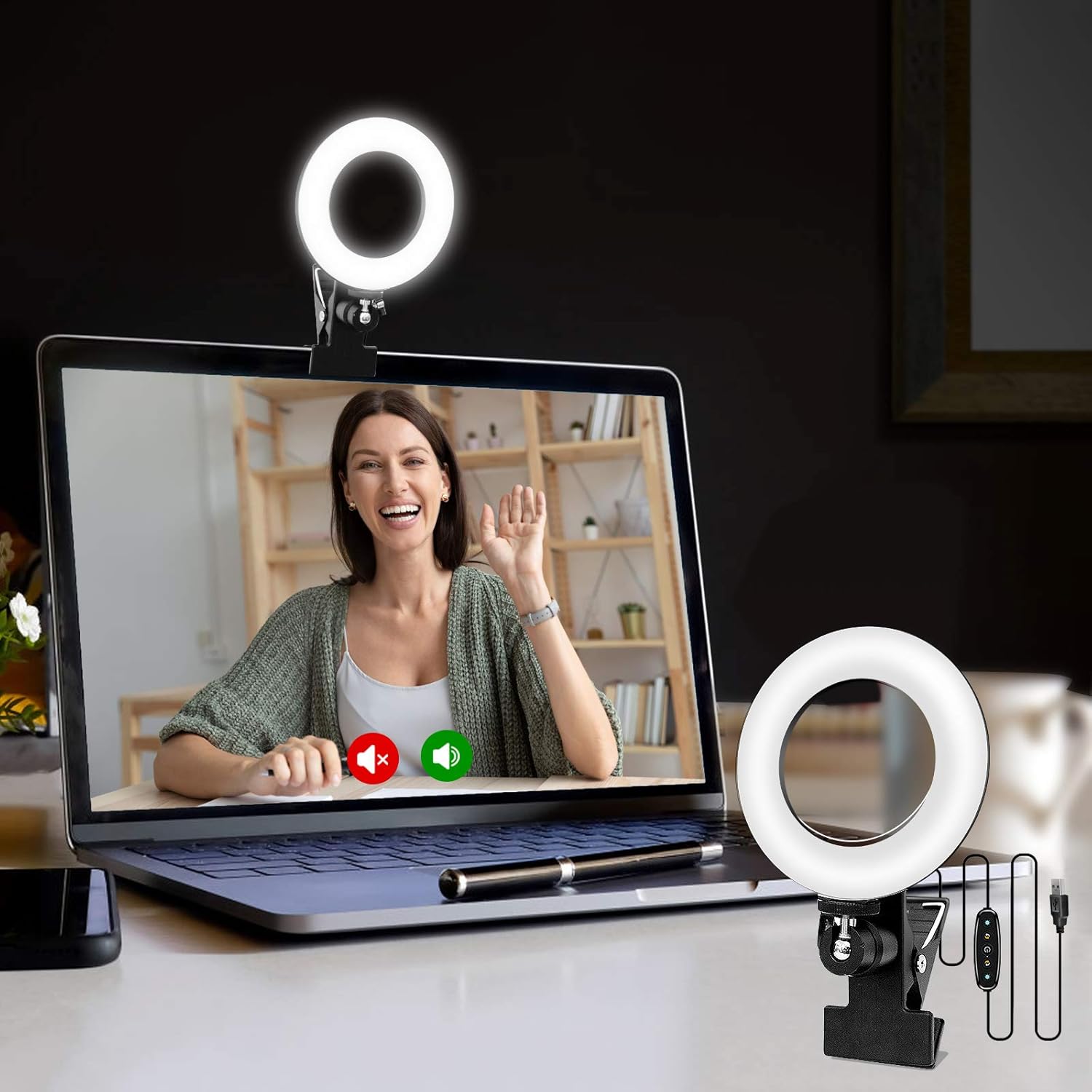
The Cyezcor kit is the get-the-job-done budget pick. Two clip-on lights, dimmable, multiple color modes, and a price that usually sits under $20. It has more reviews than almost any other product in this category, which is also why it shows up first in a lot of Amazon searches for "video conference lighting."
Buyer feedback is positive on brightness, value, adjustability, and versatility. The trust caveat is real, and we are putting it next to the recommendation on purpose: Amazon's own "Customers say" summary flags durability as a recurring negative. Treat this as a one-to-two-year purchase, not a lifetime light, and you will not be disappointed.
Validated specs: two clip-on lights, dimmable brightness, multiple color-temperature presets, USB-powered, monitor / laptop / desk clip.
Researched buyer feedback: the strongest praise patterns are brightness, value for money, and versatility across laptop and monitor setups. The strongest complaint pattern is durability, with reliability and the included clip flagged in the mixed-to-negative aspect summaries.
Pros
- Highest-volume budget pick in the category
- Two-light kit covers key + fill use
- Dimmable with color-temperature options
- Plugs into a normal USB port
Cons
- Durability is the recurring complaint pattern
- Cheaper clip can feel less stable on thick monitors
- Not a "buy once, keep forever" product
Best for: budget WFH callers, first-time Zoom-lighting buyers, anyone replacing a dark laptop screen as their only light source.
2. InnoGear Video Conference Light
Often around $19 - check current price
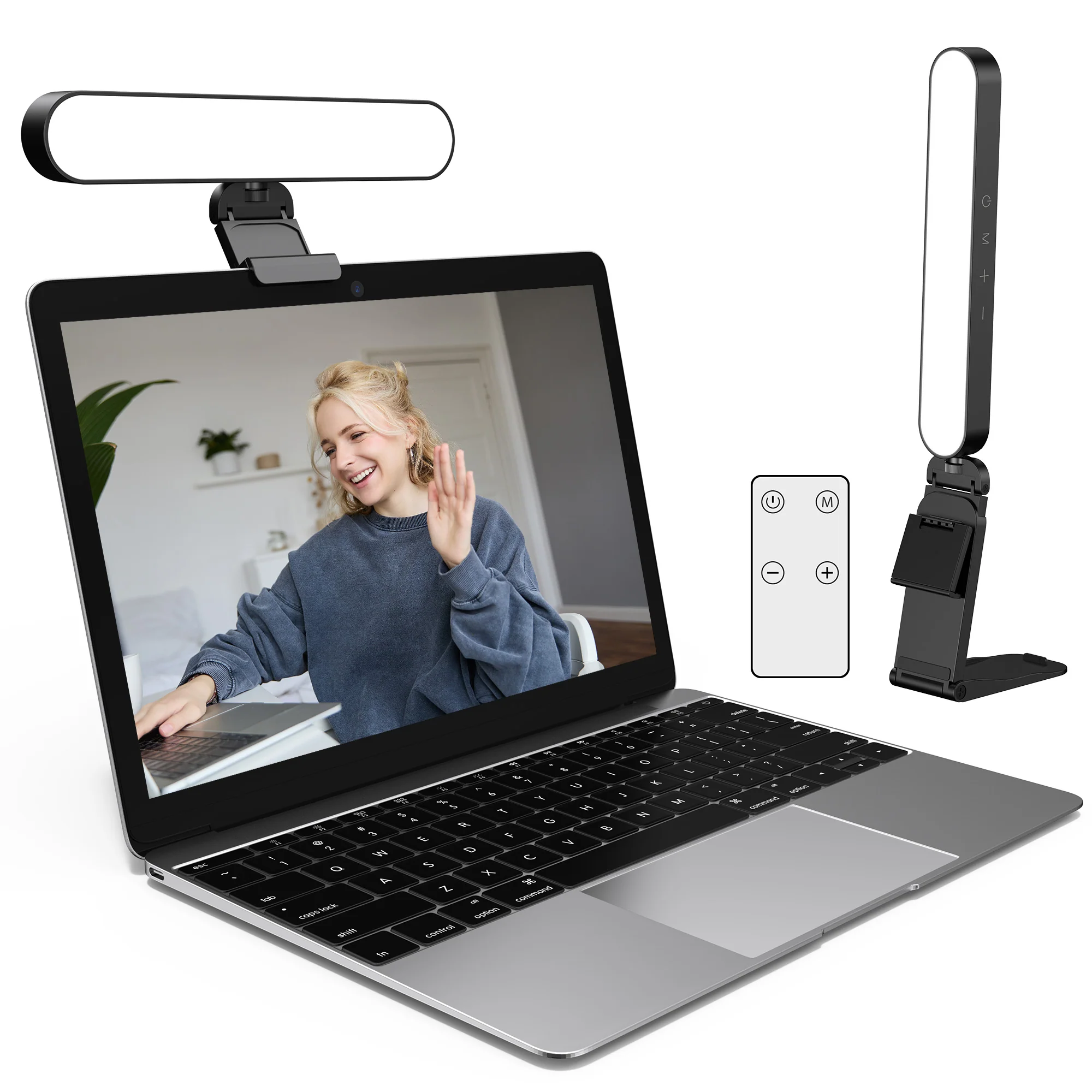
If you have a small desk, the InnoGear video conference light is the mid-budget middle ground. It costs a bit more than the cheapest kits, includes a remote and touch controls, and shows up in buyer feedback as small enough to live on a crowded desk without crowding it more.
Amazon's aspect summary explicitly tags this light as desk-friendly, which is unusual for the category and worth knowing. The trade-off: the review pool is smaller than the budget leaders (Cyezcor, ALTSON), and remote-control feedback is mixed. Use the touch controls as the primary interface and treat the remote as a bonus.
Validated specs: USB-powered, dimmable, color-temperature adjustable, touch + remote controls, monitor / desk mount.
Researched buyer feedback: positive aspect chips include brightness, functionality, brightness adjustment, ease of use, and the explicit "desk-friendly" tag. The mixed aspect is remote control, with a small subset of buyers reporting flaky behavior.
Pros
- Compact footprint suits small desks
- Touch + remote controls
- More control than the cheapest budget kits
- USB-powered, no batteries to manage
Cons
- Smaller review pool than Cyezcor or ALTSON
- Remote-control feedback is mixed
- Not as bright as a premium key light at max output
Best for: small-desk WFH setups, condo or apartment offices, callers who want more control than a bargain clip-on without paying premium prices.
3. ALTSON 60 LED Portable Selfie Light
Often around $18 - check current price
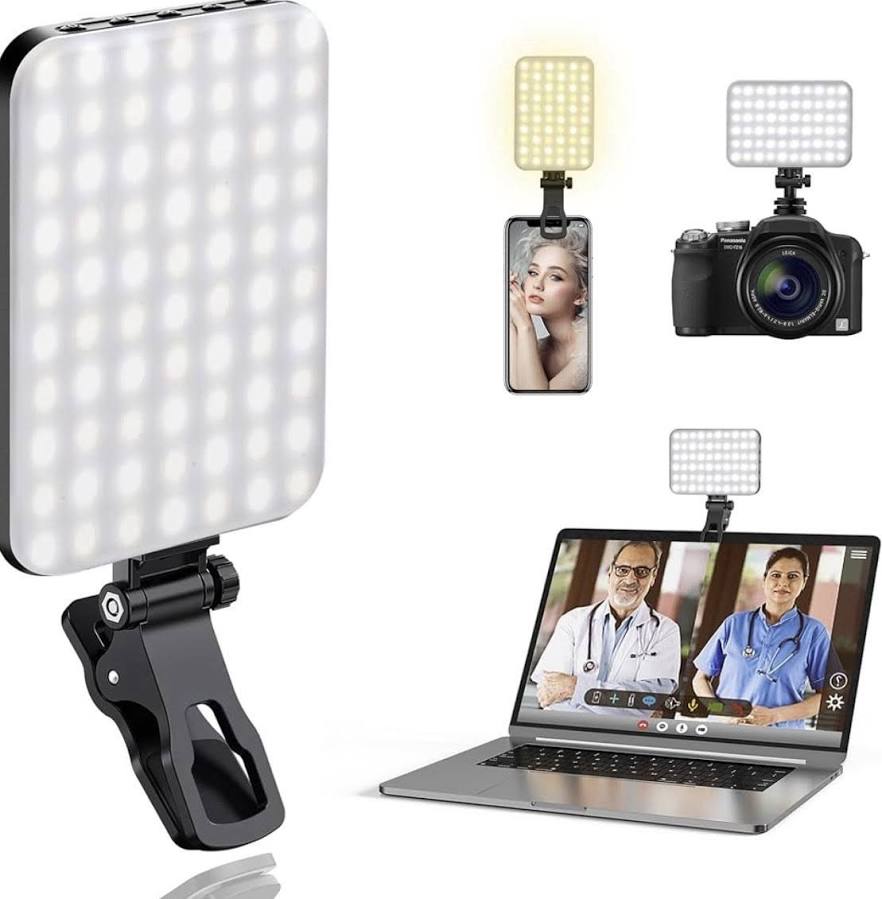
The ALTSON 60 LED is the pick for hybrid workers, renters, travelers, kitchen-table callers, and anyone who does not want another USB cable on the desk. It is a rechargeable clip-on with multiple light modes, and it clips to a laptop, a phone, or a small tripod just as easily.
Amazon's aspect summary is strongly positive on brightness, quality, versatility, and value for money. The mixed aspects are battery life and durability — typical of a battery-powered budget device. Charge it before long calls, and treat the battery as a part that will degrade over time.
Validated specs: 60 LEDs, rechargeable battery, 9 light modes, color-temperature adjustment, integrated clip, mini tripod adapter, CRI 97+ manufacturer claim.
Researched buyer feedback: buyers like the clip flexibility, the rechargeable design, and the natural-looking skin tones. The complaints cluster around the battery losing capacity over time, which is realistic for the price.
Pros
- Rechargeable — no USB cable on the desk
- Clips to laptop, phone, or mini tripod
- Multiple light modes and color temperatures
- Strong review volume for the price
Cons
- Battery life is the recurring mixed aspect
- Battery capacity degrades over years of use
- Not the right choice for a permanent USB-powered desk
Best for: hybrid workers, frequent travelers, kitchen-table callers, laptop-only setups, anyone who wants to skip cables.
4. Logitech Litra Glow
Usually around $60 - check current price
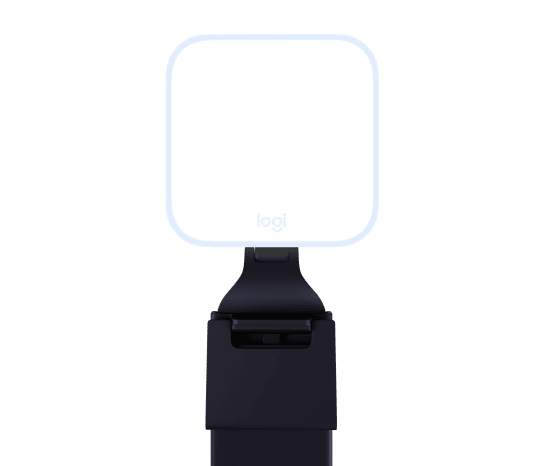
The Logitech Litra Glow is the premium remote-work pick. It is a compact LED key light with Logitech's "TrueSoft" diffusion, a monitor clip, and full control via Logitech's desktop software. Buyer feedback is consistently strong on brightness, quality, adjustability, and reliability across thousands of reviews.
The caveats are also worth saying out loud. Full control requires installing Logitech software, which some buyers find annoying on locked-down work laptops. Amazon's value-for-money aspect is mixed — people love the light but feel the price is steep. And a small but loud minority of one-star reviews report a high-pitched whine or units that failed after a few months. None of this should stop you if you are on camera several hours a day. It might stop you if you take one casual call a day.
Validated specs: 250 lumens, 2700K–6500K color range, USB-powered, monitor clip + tripod thread, software control via Logitech G HUB / Logi Tune on Mac, PC, and Linux.
Researched buyer feedback: positive aspect chips dominate (brightness, quality, adjustability, reliability, ease of use, mounting, versatility). Mixed sentiment shows up on value for money. One-star themes include software friction, occasional unit whine, and rare durability failures.
Pros
- Polished, diffused output that looks natural on camera
- Strong adjustability and color-temperature range
- Reliable brand support and broad app compatibility
- Monitor clip and tripod thread are both included
Cons
- Full controls require Logitech software
- Value-for-money sentiment is mixed at full price
- Rare reports of high-pitched whine or early failure
Best for: client-facing remote workers, interviewers, managers, trainers, anyone on camera multiple hours per day, anyone who wants a known-brand premium light.
5. HumanCentric Video Conference Lighting Kit
Usually around $60 - check current price (often discounted)
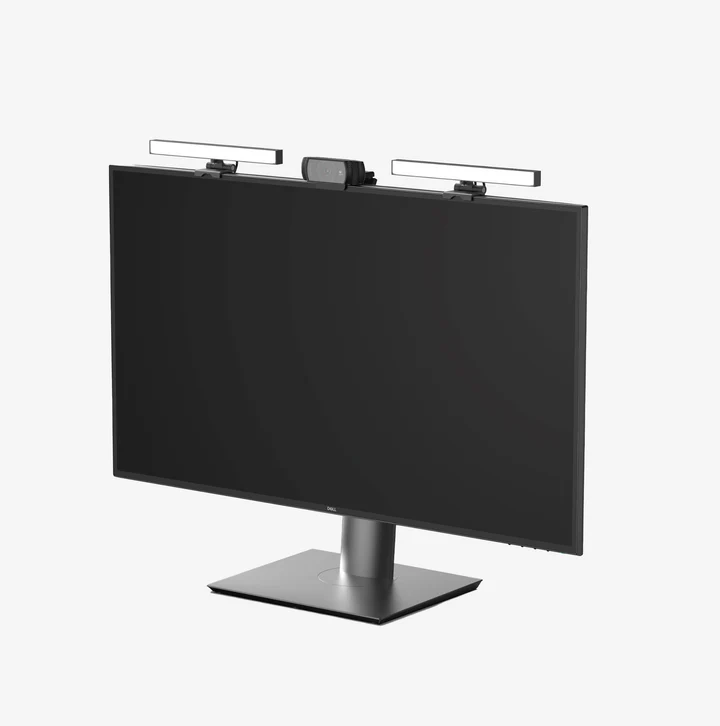
HumanCentric's kit is the interesting "if you wear glasses" option. It is a two-light setup that you can position to either side of your monitor, which avoids the centered ring reflection that a single ring light puts in your lenses. One positive review headline in the validation research literally said it was "better than a ring light, especially if you wear glasses." That is the use case to keep in mind.
Be honest about the rest, though. Amazon's aspect summary flags brightness, mounting, and reliability as mixed, and value-for-money as mixed as well. Frequent discounting suggests $60 is high for what you get. It is the right shape for glasses-wearers; it is not the right shape if you want the most-loved product in the category.
Validated specs: two USB lights, dimmable, color-temperature options, monitor / laptop / desk clip, "for Zoom Meetings" branding.
Researched buyer feedback: the strongest positive note is the side-lighting concept that helps glasses-wearers. Mixed feedback patterns hit brightness, mounting, reliability, and value. Read current reviews before buying and wait for it to drop closer to $40.
Pros
- Two-light setup avoids centered ring reflection in glasses
- "For Zoom" branding matches search intent
- Useful for off-axis lighting setups
Cons
- Mixed brightness, mounting, and reliability aspects
- Frequent discounting suggests inflated full price
- Not a top pick on aspect-chip sentiment alone
Best for: glasses-wearers who have struggled with ring-light reflections, buyers who want a dual-light kit rather than a single light.
6. LitONES Video Conference Lighting (Swing-Arm Ring Light)
Usually around $60 - check current price
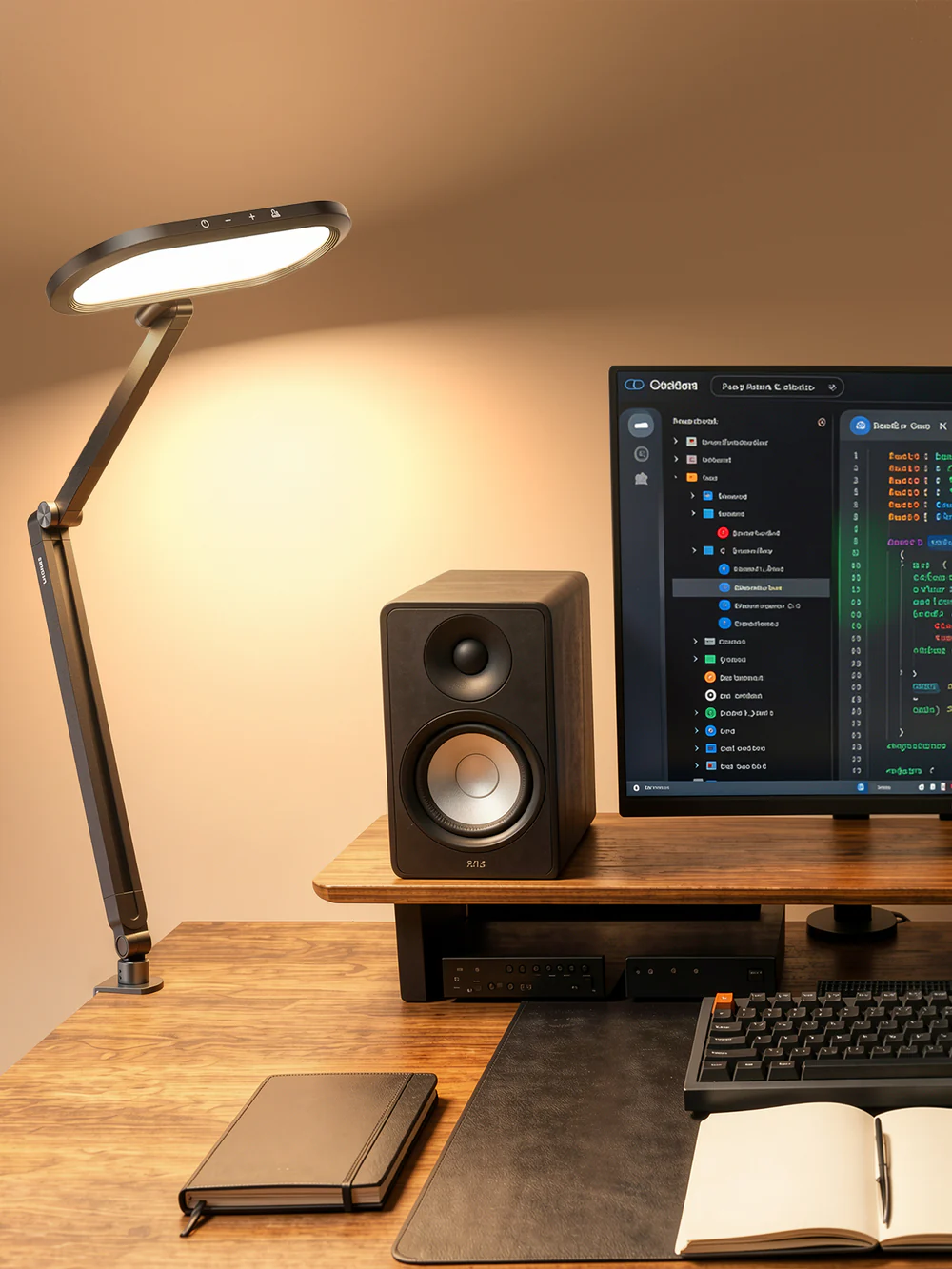
If you specifically want a ring light, the LitONES 15W swing-arm version is the cleaner shape for a permanent desk. The C-clamp + swing arm setup means it does not roll, does not eat your desktop, and the included remote, memory presets, and timer make it more useful than a bare ring on a stand.
Buyer feedback is largely positive on brightness, video-conferencing fit, adjustability, easy installation, and desk mounting. Reliability is the one mixed aspect. The ring shape still applies, though, so the same category caveat holds: if you wear glasses, expect to see a ring reflection in your lenses, and consider the HumanCentric two-light kit or a small panel light instead.
Validated specs: 15W dimmable ring light, CRI 95+ manufacturer claim, c-clamp mount, swing arm, remote, memory presets, timer.
Researched buyer feedback: positive aspect chips across brightness, video-conferencing, adjustability, quality, easy install, desk mounting, and remote control. Reliability is mixed but represents a small subset of reviews.
Pros
- Swing-arm c-clamp frees desk space
- Remote, memory presets, and timer
- Adjustable color and dimming
- Looks intentional, not improvised
Cons
- Ring shape still reflects in glasses
- Smaller review pool than the budget leaders
- C-clamp needs a desk edge to attach
Best for: readers who specifically want a ring light, who have a permanent desk with a clampable edge, and who do not wear glasses.
7. BenQ ScreenBar
Usually around $109 - check current price
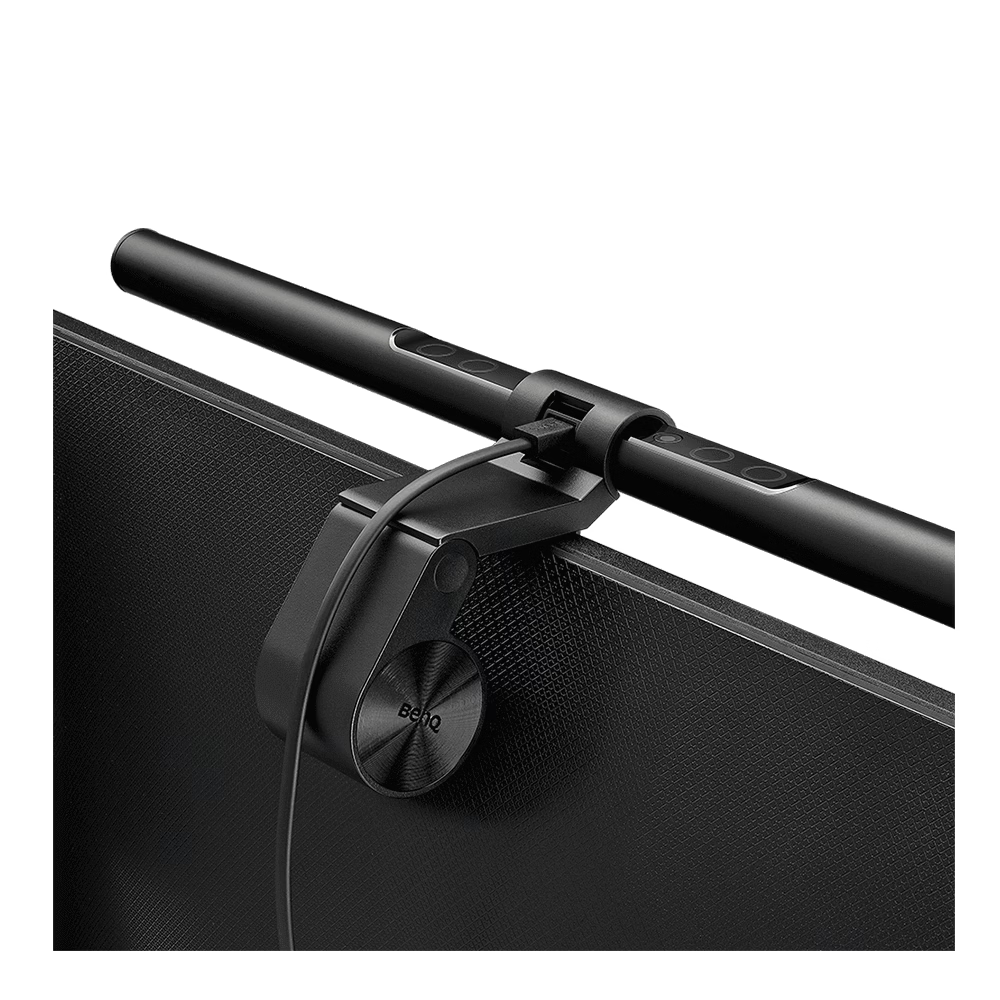
The BenQ ScreenBar earns its reputation. Amazon's aspect summary is overwhelmingly positive on quality, brightness, anti-glare, functionality, brightness control, design, and color temperature, across thousands of reviews. It sits on top of your monitor, takes zero desk space, and dims smoothly.
The thing nobody warns you about: a monitor light bar primarily lights your desk and keyboard, not your face. It is excellent task lighting. It is not, by itself, a Zoom face light. Pair it with a small webcam light or a daylight desk lamp aimed at you, and you have the full picture. Value for money is the only mixed aspect — buyers love the product but feel the price is steep, so watch for sales.
Validated specs: USB-powered monitor light bar, auto-dimming, adjustable brightness and color temperature, asymmetric optics to avoid screen glare, fits flat monitors. The newer ScreenBar Halo 2 adds backlight, wireless controller, and curved-monitor support at a higher price.
Researched buyer feedback: the strongest signal in the whole research set on quality and brightness. The one caveat in aspect chips is value-for-money. The structural caveat is what it is: this is a task light, not a face light.
Pros
- 5,000+ reviews at 4.7 stars; broadly loved
- Zero desk footprint — sits on the monitor
- Auto-dimming, color-temperature adjustment
- Excellent task light for desk work
Cons
- Lights your desk and keyboard, not your face
- Value-for-money sentiment is mixed
- Original ScreenBar can be tight on thick or curved monitor bezels (Halo 2 fixes this at a higher price)
Best for: external-monitor users, anyone who wants a premium desk task light, callers who already have a small face light and want better desk illumination.
Cautious mentions: products to research before buying
Yarrashop Desk Ring Light: Wirecutter named this their top pick in early 2026, and at around $35 with a built-in stand and phone holder, the value case is real. We would add one caveat that did not make it into Wirecutter's piece: Amazon's own "Customers say" summary flags durability as the single largest negative aspect, with hundreds of mentions. If you are a heavy daily user, plan for a 12–24 month replacement window. Check current Yarrashop reviews before deciding.
Elgato Key Light Air / Key Light family: The standard among streamers and on-camera professionals. The image quality is excellent, and TikTok-creator feedback is consistently positive. Most remote workers do not need this much light. If you are on camera 4+ hours a day or you are building a creator setup, it is worth the jump from Litra Glow. For everyone else, save the difference. Check Elgato Key Light options if you are in that camp.
Trust Caveats Before You Buy
- This is researched, not hands-on tested. Picks are based on validated specs, Amazon review summaries, marketplace signals, and remote-worker feedback, not controlled side-by-side image tests in a studio.
- Budget lights can have durability tradeoffs. Cyezcor and Yarrashop both have durability flagged as a recurring negative in Amazon's own aspect summaries. Treat budget picks as one-to-two-year products.
- ALTSON battery life is the tradeoff. Rechargeable lights degrade over time. Buyer feedback consistently mentions battery life slipping after long use. Charge before important calls.
- Logitech Litra Glow may require software for full control. Some work laptops block third-party apps. Test compatibility before relying on the brightness controls in a meeting.
- HumanCentric reviews are mixed on brightness, mounting, and reliability. The dual-light shape is good for glasses-wearers; the unit-level experience varies. Read current reviews before buying.
- BenQ ScreenBar is a great task light, but not a primary face light. If you only buy one Zoom light, make it a webcam light, not a monitor light bar.
- Ring lights can reflect in glasses. The ring shape is unavoidable in your lenses if it is in front of you. Glasses-wearers should default to dual or off-axis lights.
- Giant creator lights are overkill for normal Zoom calls. Eighteen-inch ring lights, RGB streamer panels, and softboxes are made for camera-heavy creators, not for an hour of daily meetings.
- Prices, badges, and stock change. Search links are used here because exact listings move, colors go out of stock, and Amazon sometimes pushes a newer SKU. Always check current price.
Best Lighting Setup by Situation
Simple Zoom Setup
One clip-on USB webcam light at camera height, dimmed about 60–70%. Aim it softly at your face, not the wall. Close any blinds behind you. That is the entire setup, and for most remote workers it is enough.
Small-Desk Setup
Pick a compact light like the InnoGear or an ALTSON-style clip-on. Skip giant ring lights and stand-mounted lights — they will eat the desk you do not have. If your laptop sits on a laptop stand, clip the light directly onto the lid or use a small tripod next to the screen.
Glasses Setup
Avoid centered ring lights. Use two smaller side lights (the HumanCentric kit is the obvious template) or a single panel placed off-axis — slightly above and to one side. The goal is a soft highlight in the lens, not a clear ring reflection. Adjusting the angle by 15–20 degrees is usually enough.
Dark-Room Setup
One key light in front of you, plus one fill light or ambient lamp behind or beside the monitor to lift the shadows. The Logitech Litra Glow as a key light plus a daylight desk lamp aimed at the wall (bounced fill) is a common two-light combo. Match color temperatures so your face and background do not look like two different times of day.
Desk Work + Video Calls Setup
This is the BenQ ScreenBar use case, paired with a small face light. The ScreenBar handles the desk and keyboard so you can read paper, take handwritten notes, or work in the evening. The clip-on or Litra Glow handles your face when the camera turns on. Both can be USB-powered from the same monitor or hub.
Creator / Trainer Setup
If you are on camera multiple hours a day, teaching, presenting, or recording, the Litra Glow as a primary key plus an Elgato Key Light or similar fill is the upgrade. Add a small backlight or hair light only after your face light is solid. Most remote workers will never need this. If you are in this camp, you probably already know it.
What To Skip First
- Giant 18-inch ring lights. Designed for makeup tutorials and TikTok creators. Overkill for normal Zoom calls. Eats desk space, blasts your eyes, reflects clearly in glasses.
- RGB streamer panels. Made for Twitch streams and themed gaming setups. Color-shifting RGB does nothing useful for a Teams meeting.
- Softboxes. Studio gear. Too big, too bright, and built for photo and video production, not video calls.
- Smart bulbs as your only Zoom lighting fix. A smart bulb in your ceiling fixture is overhead light, not front light. It will not save a backlit face. Use it as ambient lighting, not as your face light.
- Monitor light bar as the only Zoom light. A BenQ ScreenBar is excellent. It still does not light your face. Pair it with a webcam light or face-facing lamp.
- Webcam upgrade before testing better lighting. If your face looks dark or backlit, a new webcam will not fix it. Try a $20 clip-on light first; it is the cheapest test in the category.
FAQ
What is the best light for Zoom calls?
For most remote workers, the best light for Zoom calls is a small, dimmable webcam light or compact key light placed near camera height and aimed softly at your face. A clip-on USB webcam light is the easiest first buy. Logitech Litra Glow is the polished premium pick for people on camera several hours a day. Control bright windows first, and do not expect a monitor light bar to light your face by itself.
Should the light be in front or behind me for Zoom?
The main light should be in front of you, roughly at camera height, aimed softly at your face. Light from behind turns you into a silhouette. Light directly overhead casts shadows under your eyes. A soft front light, slightly off to one side, is the simplest setup that looks good in most home offices.
What color temperature is best for video calls?
A daylight-balanced color temperature between about 4000K and 5500K is a safe range for video calls because it renders skin tones naturally on webcam sensors. Warmer light (around 3000K) can look orange on camera. Cooler light (over 6000K) can look clinical or blue. Match all your lights to roughly the same color temperature so your face does not look two different colors.
Is a ring light good for Zoom calls?
A ring light can work for Zoom calls if you do not wear glasses, do not sit on camera all day, and have room on your desk. The downsides are real: ring shapes reflect visibly in glasses, can feel harsh at higher brightness, and large 18-inch rings eat desk space. For most remote workers, a small clip-on webcam light or compact key light is a more flexible first buy than a ring light. If you specifically want a ring, the LitONES swing-arm is a cleaner desk shape than a base-mounted ring.
How do I avoid ring-light glare in glasses?
Move the ring light off-axis so it is not directly in line with your eyes, raise it slightly above eye level, or replace it with two smaller side lights or a single panel light placed to the side. Soft, diffused light from an angle creates a soft highlight in glasses instead of a clear ring reflection. Buyer feedback consistently flags two-light setups like the HumanCentric kit as a better fit for glasses-wearers than centered ring lights.
Is a monitor light bar enough for Zoom calls?
Usually not by itself. A monitor light bar like the BenQ ScreenBar primarily lights your desk and keyboard, not your face. It is excellent task lighting and a great addition to a Zoom setup, but it works best paired with a small front-facing webcam light or a daylight desk lamp aimed at you.
Should I buy lighting or a better webcam first?
Buy lighting first if your face looks dark, washed out, grainy, or backlit on calls. A better webcam will not fix a dark or backlit room. If your room is already well-lit but your laptop camera looks soft, sits at the wrong angle, or is older, then a webcam upgrade is the move.
Do cheap webcam lights flicker on camera?
Most modern USB webcam lights run on direct current and do not visibly flicker at typical webcam frame rates. Some very cheap lights or PWM-dimmed lights can band or flicker, especially when dimmed low. The Amazon review patterns on popular budget lights like Cyezcor and ALTSON do not flag flicker as a top complaint, but durability and cheap clips are common ones, so check current reviews before buying.
Is Logitech Litra Glow worth it for Zoom?
The Logitech Litra Glow is worth it if you are on camera several hours a day, take client-facing or interview calls, or want a polished branded option around $60. Buyer feedback praises brightness, adjustability, and reliability. The caveats are real: full control requires Logitech software, value-for-money sentiment is mixed, and a small share of buyers report a high-pitched whine or durability issues. For an occasional Zoom user, a $20 clip-on light is enough.
What is the best lighting for a dark home office?
For a dark room, start with a soft front-facing key light at camera height, then add a smaller ambient or fill light to lift the shadows behind you. A premium compact key light like Logitech Litra Glow, plus a daylight desk lamp aimed off-axis, is a common two-light combo that works in basements and dim offices. Match color temperatures so your face and background do not clash.
Final Verdict
If you want one simple answer: get the Cyezcor kit if you have never bought lighting before and want the cheapest fix, or the Logitech Litra Glow if you are on camera every day. If you wear glasses, default to a dual-light setup like the HumanCentric kit. If you also want a great desk task light, add a BenQ ScreenBar on top of your monitor.
The real RemoteLyfe answer, though: fix the light on your face before blaming your webcam. Most "I look bad on Zoom" complaints are solved by a $20 clip-on light, a closed blind, and a camera at eye level. Build from there.