This guide is based on product specs, manufacturer positioning, Amazon review patterns, expert review notes, Reddit-style buyer feedback, and WFH use cases. It is not hands-on lab testing. That matters because webcams are weird: the same camera can look great in a bright room and rough in a backlit apartment corner.
The short version: most webcam disappointment is really a lighting, framing, or audio problem. A better camera helps when your laptop webcam is the bottleneck. It will not save a backlit room or a tiny built-in mic.
Stella's Take: Best Webcam for Work From Home
For most remote workers, a reliable 1080p webcam is enough. Pick the Logitech Brio 500 if you live in Microsoft Teams, Zoom, and Google Meet on a PC. Pick the Logitech MX Brio if your room runs dim, you take client calls, or you want the safer premium pick for a Mac-heavy setup.
Buy lighting before chasing 4K. Zoom, Teams, and Google Meet compress video heavily, so 4K rarely reaches your audience. A small key light plus a good 1080p or 2K webcam usually looks better than a 4K camera in a dark room.
TL;DR: Best Webcam Picks by Need
Logitech MX Brio
Premium pick for client calls, mixed Mac/PC setups, and low-light improvement.
4K is often compressed by Zoom and Teams. Buy it for the better sensor and image processing.
Check price on AmazonLogitech Brio 500
USB-C, HDR, selectable field of view, and the default mid-range pick for Windows daily callers.
Amazon review patterns flag MacBook Pro on macOS Ventura specifically.
Check price on AmazonLogitech Brio 100
Cheap, simple 1080p webcam with privacy shutter and basic plug-and-play setup.
Fixed focus and narrow field of view can feel tight if you sit close.
Check price on AmazonAnker PowerConf C200
2K value pick with adjustable field of view, low-light correction, and a strong price-to-quality signal.
Mixed Windows Hello reports and some long-term mic complaints.
Check price on AmazonLogitech C920x
The easier-to-find current C920-family workhorse for broad compatibility and predictable 1080p calls.
USB-A only, and low-light performance is average by 2026 standards.
Check price on AmazonInsta360 Link 2
4K gimbal webcam with AI tracking for standing desks, demos, teaching, and movement-heavy calls.
Works for conferencing on Mac, but review patterns flag FaceTime as a caveat.
Check price on AmazonNexiGo N960E
Camera plus ring light in one device for small desks and simple work-call setups.
The fixed ring light can be harsh. Separate lighting is more flexible.
Check price on Amazon4K Before Lighting
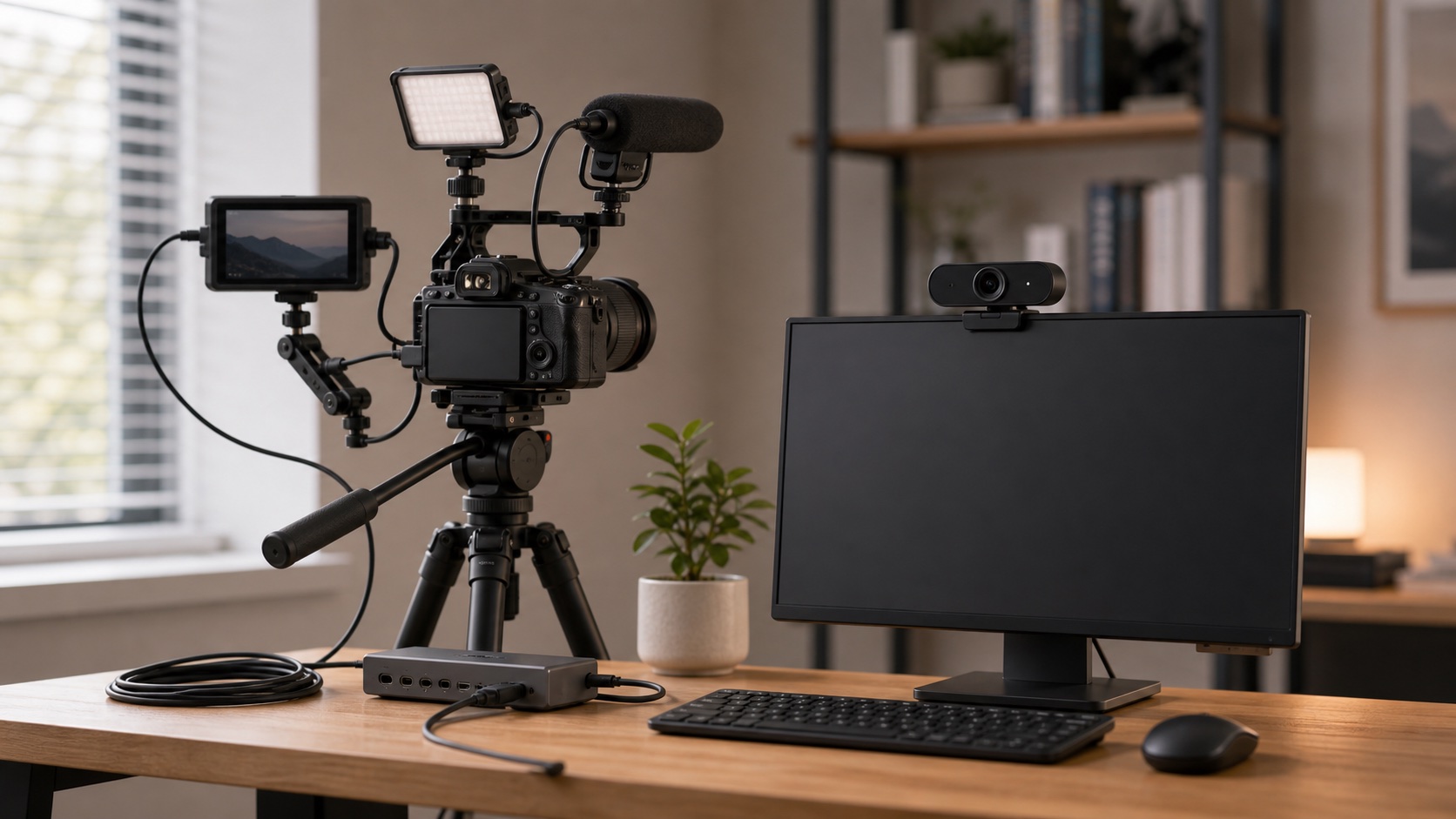
A more expensive camera will not fix a face lit from behind or a room with no front light.
Fix light, height, and audio before building a camera rig.
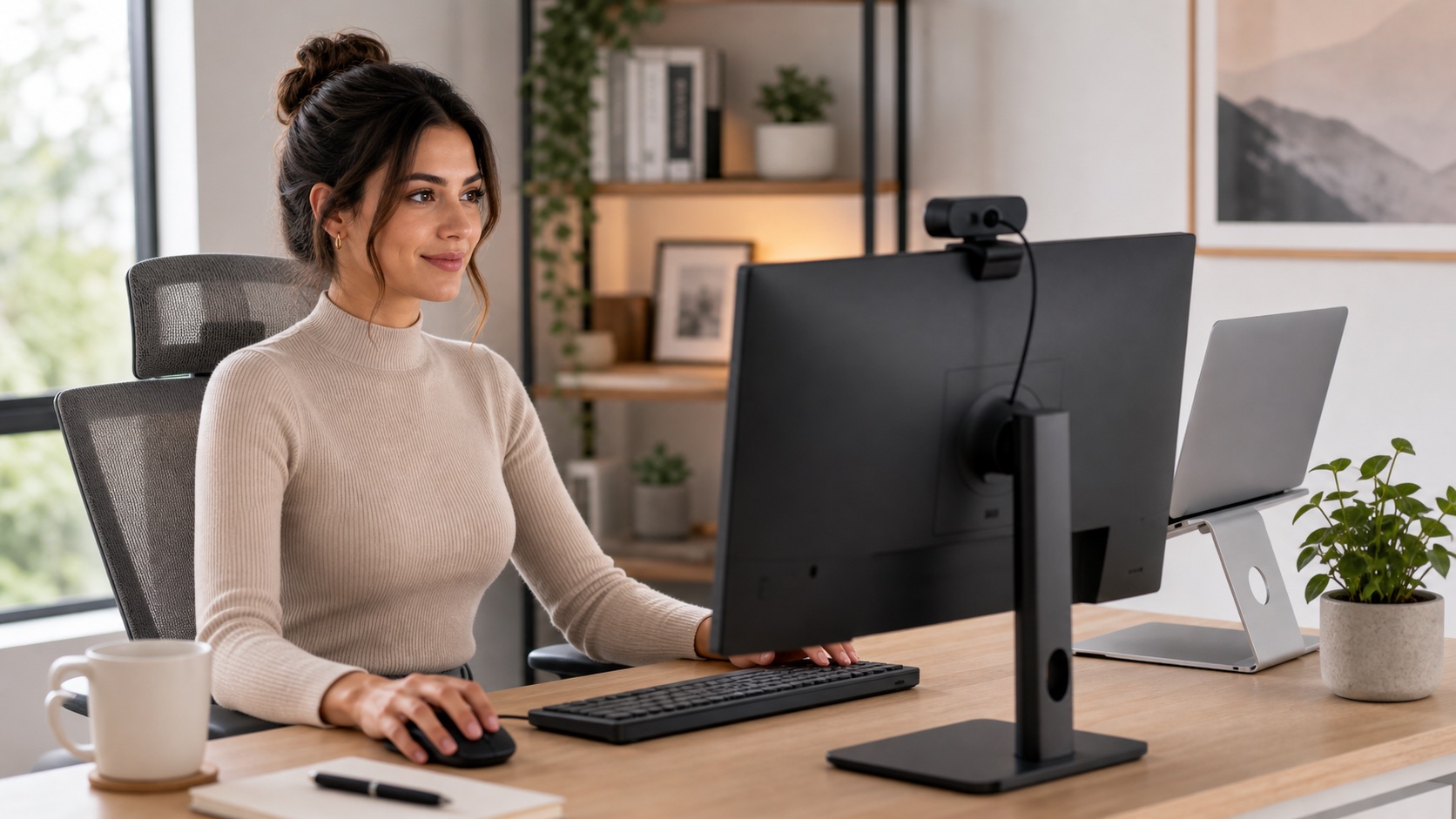
Diagnose The Real Problem First
A new camera fixes one of four things. Knowing which one usually saves money.
Looks dark or grainy: lighting problem. Add a small front light before changing the camera.
Looks sideways or low: placement problem. Use a laptop stand or monitor-mounted webcam.
People cannot hear you: audio problem. A headset or USB mic almost always wins.
Laptop camera looks soft or dated: webcam problem. This is the one a new camera actually solves.
Webcam Comparison Table
| Pick | Best For | Resolution | Platform Fit | Main Caveat |
|---|---|---|---|---|
| Logitech MX Brio | Premium WFH, Mac/PC, low light | 4K/30, 1080p/60 | Zoom, Teams, Meet, Mac, PC, Linux | 4K is often compressed away in meetings |
| Logitech Brio 500 | PC users, Teams, Zoom, mid-range | 1080p/30, 720p/60 | Strong PC and meeting-app fit | MacBook Pro on Ventura review caveat |
| Logitech Brio 100 | Budget work calls | 1080p/30 | Simple USB-A plug-and-play | Fixed focus and narrow 58 degree field of view |
| Anker PowerConf C200 | Value buyers, sharper-than-basic video | 2K/30 | PC, laptop, Mac | Mixed Windows Hello and long-term mic feedback |
| Logitech C920x | Classic reliable 1080p webcam | 1080p/30 | Broad plug-and-play support | Average low-light performance and older USB-A design |
| Insta360 Link 2 | Presenters, trainers, standing desks | 4K/30, 1080p/60 | Zoom, Teams, Meet, PC/Mac conferencing | FaceTime-on-Mac caveat; test early |
| NexiGo N960E | Built-in ring light simplicity | 1080p/60, 4K on some listings/configs | Zoom, Skype, Teams, Twitch-style apps | Ring light can look harsh; separate lighting is more flexible |
Best Webcams for Work From Home in 2026
1. Logitech MX Brio
Usually around $170 - check current price
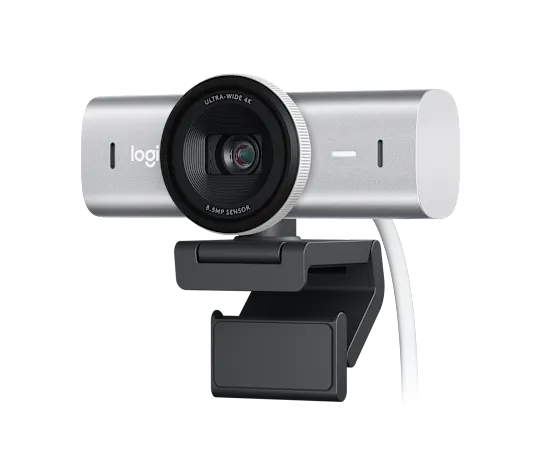
The Logitech MX Brio is the webcam I would point most serious remote workers toward first if they want one buy that covers Mac, PC, Zoom, Teams, Google Meet, client calls, and imperfect lighting. The 4K label gets the attention, but the more useful upgrade is Logitech's stronger image processing and low-light handling.
Do not buy it because you think every Zoom attendee will see you in pristine 4K. They will not. Meeting apps compress video heavily. Buy it because the sensor, exposure handling, USB-C setup, and platform support give you more room to look normal in a normal home office.
Validated specs: 4K/30, 1080p/60, USB-C, Show Mode, tripod thread, broad Zoom/Teams/Meet support, and Logitech's higher-end low-light processing.
Researched buyer feedback: review patterns are strongest around image quality, smooth setup, Mac/Linux support, and professional-looking video. The caveat is that very dim rooms still need a light, and some buyers understandably question the value when meeting apps compress the feed.
Pros
- Best overall fit for mixed Mac and PC WFH setups
- 4K capture helps with recordings and cropping
- Strong Logitech low-light processing
- USB-C and broad meeting-app support
Cons
- Premium price for ordinary meetings
- Still needs real light in very dim rooms
- 4K is often wasted on Zoom and Teams
Best for: client-facing remote workers, managers, consultants, Mac/PC mixed households, low-light rooms, and anyone who records demos outside live calls.
2. Logitech Brio 500
Usually around $100 - check current price
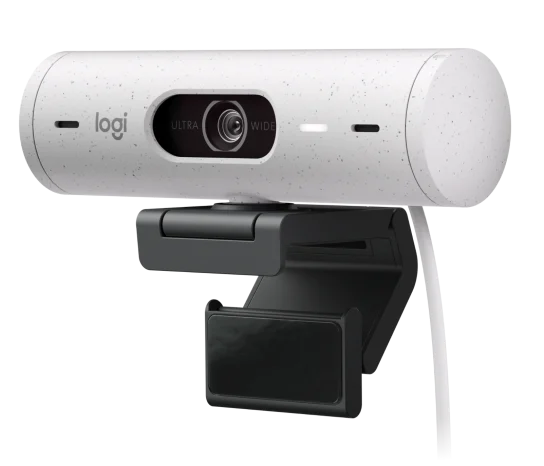
The Brio 500 is the practical mid-range pick for a PC-heavy home office. It gives you USB-C, HDR, selectable field of view, and a work-call-first feature set without jumping to MX Brio pricing.
The trust caveat is real: the Amazon review validation brief flagged MacBook Pro on macOS Ventura as a recurring issue. That does not make the Brio 500 bad. It means Mac users, especially anyone still on Ventura, should verify support and test it early instead of discovering the problem on the morning of a client call.
Validated specs: 1080p/30, 720p/60, USB-C, HDR, Show Mode, privacy cover, and selectable 65/78/90 degree field of view.
Researched buyer feedback: buyers like the picture quality, auto-light adjustment, easy setup, and wider field-of-view option. The recurring red flag is specific enough to mention plainly: MacBook Pro on macOS Ventura can be troublesome.
Pros
- Great fit for Zoom, Teams, and Google Meet on PC
- Selectable 65/78/90 degree field of view
- USB-C native
- Better work-call polish than bargain webcams
Cons
- Mac Ventura caveat in Amazon review patterns
- No 4K capture
- Show Mode is neat but not essential for most people
Best for: Windows laptop users, Teams-heavy work, daily Zoom calls, and people who want a nicer webcam without paying flagship money.
3. Logitech Brio 100
Often around $25-$40 - check current price
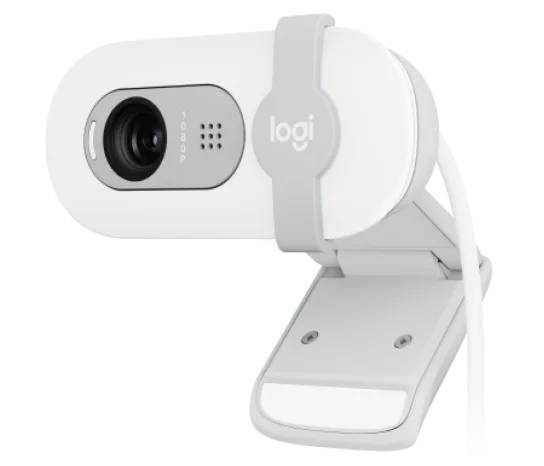
The Brio 100 is the "I need this fixed by Monday" webcam. It is not fancy. It is not autofocus. It will not make a dark room look like a studio. But for a cheap laptop-camera upgrade, it hits the boring marks: 1080p, privacy shutter, built-in mic, and simple setup.
The fixed-focus and narrow field of view are the tradeoffs. If you sit close to the camera, want to show a second person, or move around while speaking, you will feel the limits fast.
Validated specs: 1080p/30, fixed focus, 58 degree field of view, USB-A, built-in mic, privacy shutter, and basic auto-light correction.
Researched buyer feedback: the praise is exactly what you want at this price: plug-and-play setup, clear enough video, and good value. The complaint pattern is also predictable: some people find it too zoomed in.
Pros
- Cheap and simple
- Good starter upgrade over weak laptop cameras
- Built-in privacy shutter
- Works for normal one-person desk calls
Cons
- Fixed focus
- Narrow 58 degree field of view can feel zoomed in
- Needs decent lighting to look good
Best for: students, occasional WFH calls, budget desks, and anyone who wants a reliable low-cost webcam without playing Amazon roulette.
4. Anker PowerConf C200
Often around $50-$60 - check current price
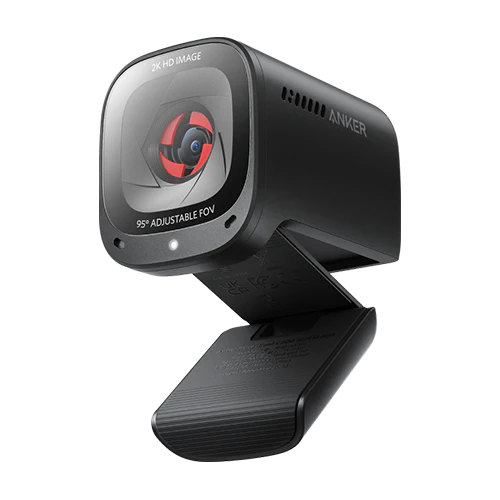
The Anker PowerConf C200 is the value curve doing something useful: 2K capture, adjustable field of view, low-light correction, privacy cover, and a price that often undercuts more famous webcams.
This is a good pick if you want sharper-than-basic video and do not care about owning a Logitech. The caveats are also worth taking seriously: Amazon review patterns are mixed on Windows Hello, autofocus, and long-term built-in mic reliability. If your calls matter, use a separate headset or mic anyway.
Validated specs: 2K/30, autofocus, adjustable 65/78/95 degree field of view, dual mics, low-light correction, USB-C, and integrated privacy cover.
Researched buyer feedback: this had the highest review-volume signal in the research set. Buyers like the clarity, low-light value, and price. Watch the mixed autofocus notes, Windows Hello complaints, and a small number of longer-term mic-failure reports.
Pros
- 2K resolution at a value price
- Selectable field of view
- Good low-light reputation for the tier
- Built-in privacy cover
Cons
- Windows Hello feedback is mixed
- Some long-term mic complaints
- Autofocus feedback is not perfectly clean
Best for: budget-conscious remote workers who want more than bargain 1080p without paying premium Logitech money.
5. Logitech C920x
Price varies a lot - check current price
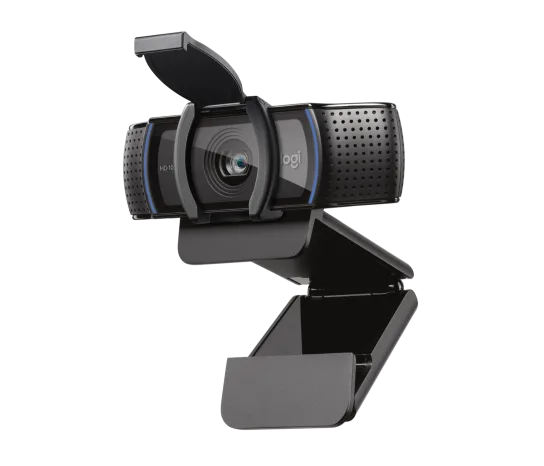
The Logitech C920 family is the boring classic for a reason. It has been the default "just get this" webcam recommendation for years because it is broadly compatible, predictable, and good enough for work calls.
We are recommending the C920x here instead of the older C920s because the Amazon validation research found C920x is the easier current SKU to buy new, while C920s often appears as a legacy or renewed listing. Same basic lane, cleaner buying path.
Validated specs: 1080p/30, autofocus, glass lens, stereo mics, USB-A, and classic Logitech plug-and-play compatibility.
Researched buyer feedback: C920x review patterns are about reliability and ease, not wow-factor. Low light is the known weakness, so pair it with a desk lamp if your room is dim.
Pros
- Classic plug-and-play reliability
- 1080p image quality is enough for most meetings
- Broad compatibility
- Still a sensible pick when priced well
Cons
- Older design
- USB-A may require a hub or adapter
- Low-light performance is average by 2026 standards
Best for: people who want the safe, familiar Logitech 1080p workhorse and do not need HDR, USB-C, or premium low-light handling.
6. Insta360 Link 2
Usually around $200 - check current price
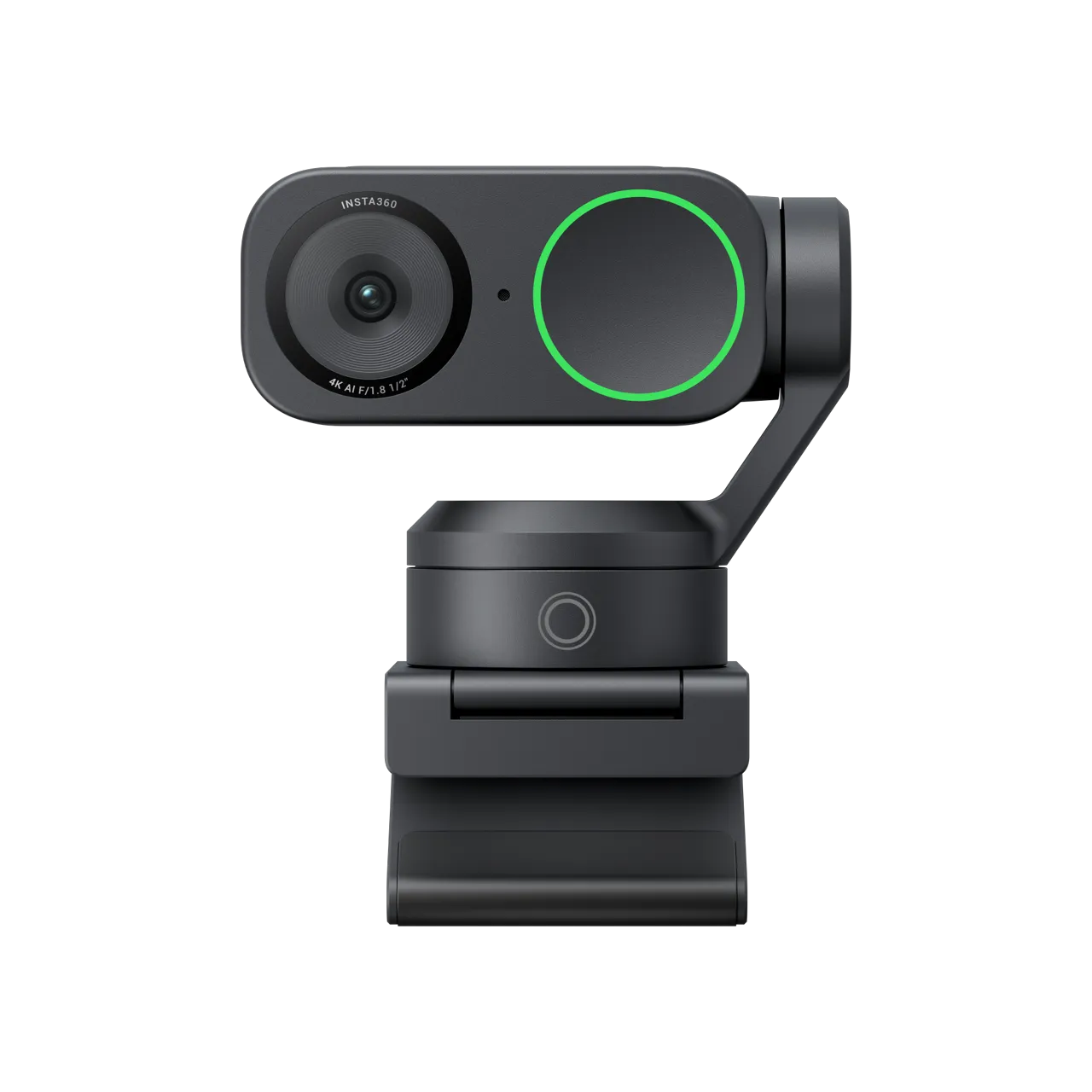
The Insta360 Link 2 is the webcam for people who do not sit perfectly still. The 2-axis gimbal, AI tracking, HDR, and 4K capture make sense for trainers, presenters, standing-desk users, hybrid teachers, and anyone who walks through a whiteboard or product demo.
For normal seated calls, it is probably too much. The other caveat: Amazon review patterns call out FaceTime-on-Mac issues even while conferencing apps like Zoom and Teams are the intended work use case. Test it the day it arrives, especially if FaceTime matters to you.
Validated specs: 4K/30, 1080p/60, 1/2-inch sensor, F1.8 aperture, 2-axis gimbal, HDR, AI tracking, gesture control, and USB-C.
Researched buyer feedback: buyers praise the sharp image and tracking when moving around. The risk pattern is specific: some Mac users report FaceTime trouble, and a small share of buyers report early failures, so test it during the return window.
Pros
- AI tracking is genuinely useful for movement
- 4K sensor and HDR
- Good for standing desks and presentations
- Flexible for hybrid content and work calls
Cons
- Overkill for seated daily meetings
- FaceTime-on-Mac caveat from review patterns
- Advanced features depend on software support
Best for: presenters, instructors, whiteboard users, standing-desk workers, and people who want auto-framing instead of a fixed webcam angle.
7. NexiGo N960E
Usually around $70 - check current price
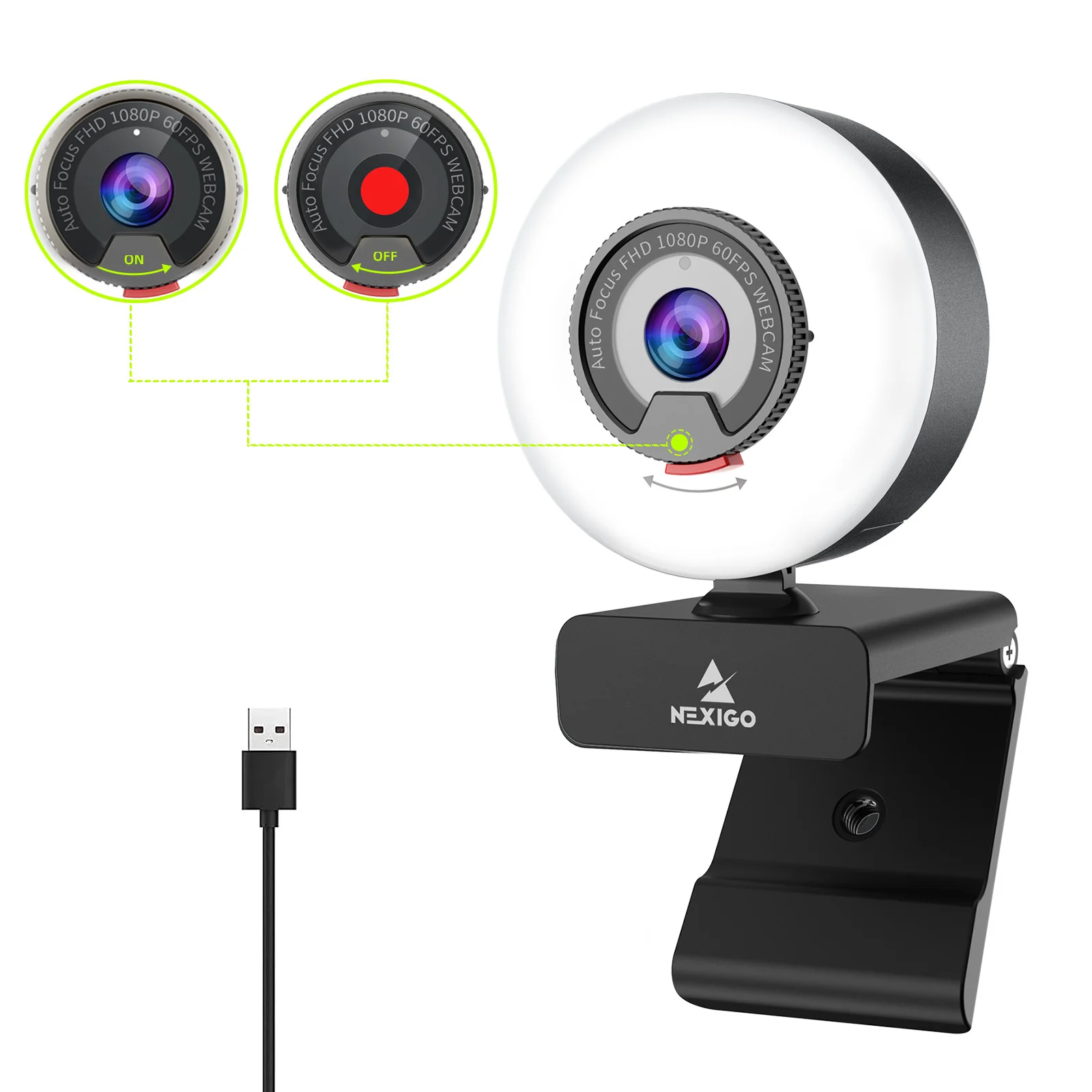
The NexiGo N960E is for the person who wants the camera and light in one purchase. That is a legitimate need if your desk is small, your USB situation is already silly, or you just want fewer pieces.
The built-in ring light is also the limitation. Because the light is fixed around the camera, you cannot aim it off-axis, soften it much, or avoid glasses reflections as easily as you can with a separate lamp or panel. Keep the brightness low and do not expect it to look as natural as a good separate light.
Validated specs: 1080p/60, autofocus, built-in adjustable ring light, privacy cover, dual stereo mic, and software controls. Some listings also advertise 4K over USB 3.0, so verify the exact listing before buying.
Researched buyer feedback: the strongest praise is simplicity for remote work: camera plus light in one box. The most useful complaint is that the light can be harsh at higher brightness. Separate lighting is still more flexible.
Pros
- Camera and light in one device
- Useful for small desks and simple setups
- Work-call positioning, not just gaming
- Privacy cover and autofocus
Cons
- Ring light can be harsh
- Less flexible than separate lighting
- Built-in mic should not be your plan for important calls
Best for: small desks, simple call setups, and people who want a single webcam-with-light device instead of a separate ring light.
What about using your iPhone as a webcam?
If you own a recent iPhone and a Mac, try Continuity Camera before buying anything. The image quality can be genuinely good, and it is the cheapest test because you already own the sensor.
The catch is daily friction: mounting the phone, battery drain, overheating during long meetings, notifications, and needing your phone free while you work. If that gets annoying after a week, a dedicated webcam is worth the spend.
What To Skip First
- 4K before lighting. Zoom and Teams compress video, and a dark room stays dark.
- A webcam mic as your serious audio plan. Use a headset or USB mic for interviews, sales calls, teaching, or executive-facing meetings.
- Razer Kiyo and gaming-positioned ring-light cameras. Some are older 1080p/30 streamer products with fixed frontal light. For WFH, the NexiGo N960E or a normal webcam plus a separate light is usually a cleaner outcome.
- OBSBOT Tiny 2 Lite as a default WFH pick. The hardware is interesting, but the positioning and feature set lean creator/esports. If you want friendly PTZ for work, Insta360 Link 2 is the cleaner fit here.
- AI tracking for seated desk work. It is cool. It is also unnecessary if you sit in the same chair all day.
- Wide-angle lenses for messy rooms. They show more of the problem.
- DSLR or mirrorless camera rigs for normal meetings. Great for creators. Too much friction for most remote workers.
Trust Caveats Before You Buy
- This is researched, not hands-on tested. Picks are based on validated specs, expert review notes, Amazon review summaries, and remote-worker feedback, not controlled side-by-side image tests.
- Amazon reviews are directional, not objective testing. They are useful for repeated patterns, compatibility warnings, and buyer complaints, but they are not lab results.
- Prices, coupons, badges, and stock change. Search links are used here because exact listings move, colors go out of stock, and Amazon sometimes pushes a newer SKU.
- Lighting, audio, and camera placement often matter more than webcam resolution. If your face is backlit or your laptop camera is pointed up from the desk, a better webcam only fixes part of the problem.
- Mac and Windows compatibility can be weird. Brio 500 has Mac Ventura review caveats, Anker C200 has mixed Windows Hello feedback, and Insta360 Link 2 has a FaceTime-on-Mac caveat.
- Test compatibility early. Open your actual meeting apps before the return window gets weird.
Best Pick by Use Case
Best Webcam for Zoom
For most Zoom calls, the Brio 500 or Anker C200 is enough. If you are on client calls all day or record demos, the MX Brio is the nicer long-term buy. Just remember: Zoom compression means lighting and camera angle matter more than raw 4K.
Best Webcam for Microsoft Teams
For PC-heavy Teams users, the Brio 500 is the clean mid-range pick because it is built around meeting-app use rather than creator features. If you want the safer premium option across Mac and PC, step up to MX Brio.
Best Webcam for Mac
Mac users should start by asking if they need an external webcam at all. Recent MacBook cameras and iPhone Continuity Camera can be good enough. If you use an external monitor or want a dedicated camera, MX Brio is the safer premium pick from this research set. Be more careful with Brio 500 on macOS Ventura and Insta360 Link 2 if FaceTime matters.
Best Webcam for Low Light
MX Brio is the best low-light-leaning pick here, but that is not permission to ignore your room. A soft front light still changes more than another resolution bump. For a budget route, Anker C200 plus a small lamp is often a smarter combo than spending everything on the camera.
FAQ
What is the best webcam for working from home in 2026?
For most remote workers, a reliable 1080p webcam is enough for daily Zoom, Teams, and Google Meet calls. Step up to the Logitech Brio 500 for PC-heavy Teams and Zoom setups, or the Logitech MX Brio if you use Mac, work in low light, take client calls, or record demos.
Is a 4K webcam worth it for Zoom and Teams?
Usually not for ordinary meetings. Zoom, Teams, and Google Meet compress video, so most of the 4K detail never reaches the people on the call. A 4K webcam is worth considering if you record demos, present to clients, crop or reframe video, or need a better sensor for low light.
Which webcam works best with a Mac?
Based on researched review patterns, the Logitech MX Brio is the strongest Logitech pick for Mac users in this lineup. The Logitech Brio 500 has reported compatibility issues with MacBook Pro on macOS Ventura specifically. The Insta360 Link 2 works in common conferencing apps on Mac, but review patterns flag FaceTime as a caveat.
Should I upgrade my webcam or my lighting first?
If your face is dark, grainy, backlit, or washed out, fix lighting first. A better webcam will not solve a dark or backlit room. If your laptop camera is technically fine but sits at the wrong height or angle once you use an external monitor, then a monitor-mounted webcam is the upgrade that matters.
Is the Logitech C920s still worth buying in 2026?
The Logitech C920s is a legacy pick, and Amazon now more actively merchandises the Logitech C920x as the current C920-family SKU. If you want the classic reliable Logitech 1080p webcam, the C920x is easier to find new.
Are webcam microphones good enough for work calls?
They are fine for casual internal calls. For frequent meetings, interviews, teaching, or noisy rooms, a separate headset or USB microphone almost always sounds better than a built-in webcam mic. Treat the webcam mic as a convenience, not your audio strategy.
What is the best low-light webcam for a dim home office?
The Logitech MX Brio is the strongest low-light pick in this lineup. The Anker PowerConf C200 is a better-value low-light option. No webcam fully fixes a dark room, so pair either pick with a small front-facing light for the best result.
Do I need a webcam with a built-in ring light?
Built-in ring lights solve dim rooms in one device, which is useful for small desks. The NexiGo N960E is the pick in this niche. The downside is that the light is fixed in front of the lens and cannot be repositioned, so a separate desk light usually gives more flexibility.
Final Verdict
If you want one simple answer: get the Logitech Brio 500 for a PC-heavy Teams and Zoom setup, or the Logitech MX Brio if you are Mac-heavy, client-facing, or fighting lower light. If your budget is tight, the Brio 100 and Anker PowerConf C200 both make more sense than chasing 4K.
The real RemoteLyfe answer, though: do not buy resolution before fixing light, height, and audio. A good webcam helps. A good setup makes the webcam look like it was worth buying.