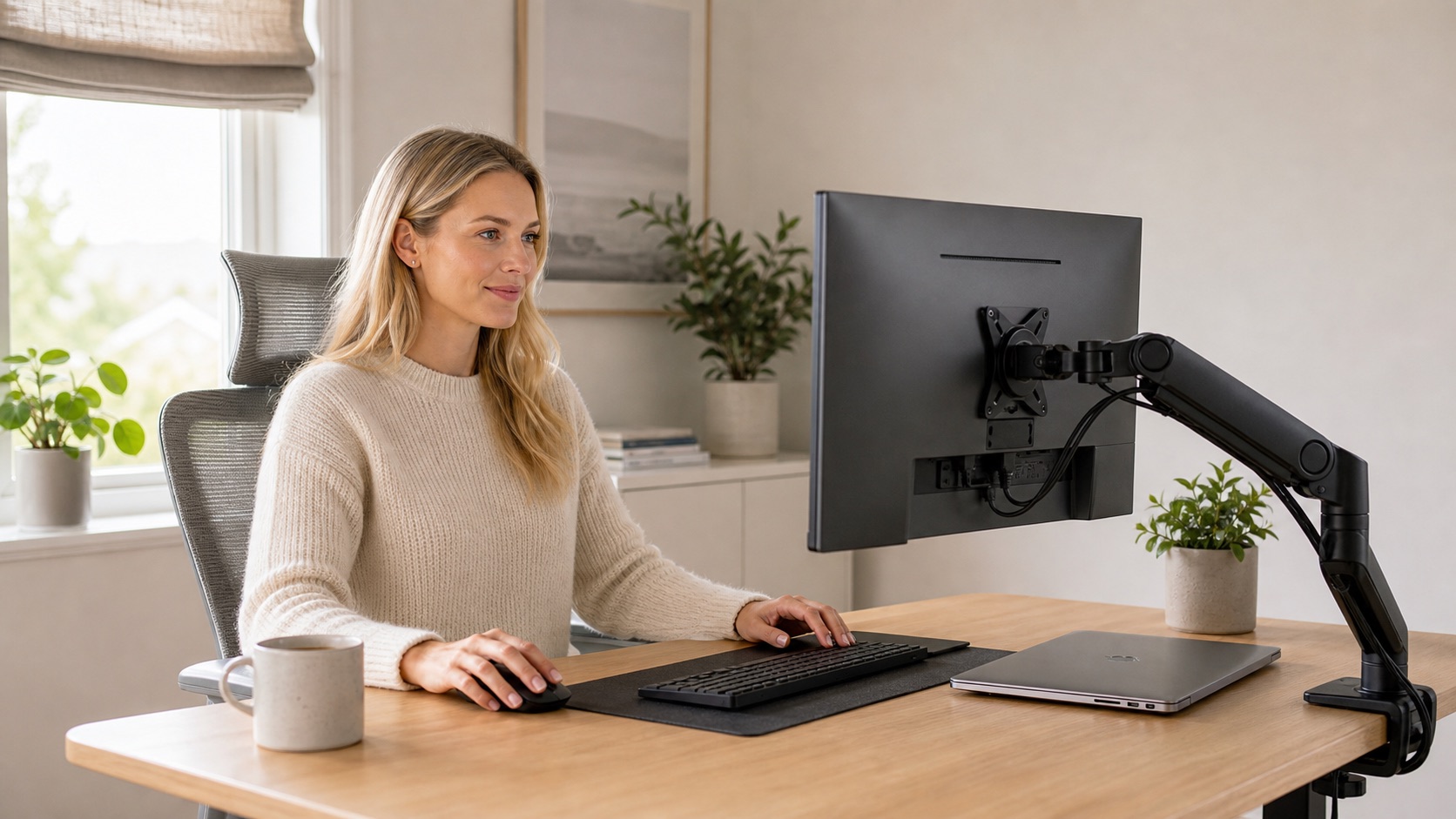
This guide is based on product specs, manufacturer positioning, Amazon "Customers say" review summaries, Reddit-style buyer feedback, Google and YouTube search patterns, and home-office use cases. It is not hands-on lab testing. Marketplace ranking is not objective product quality, and Amazon review counts move over time. Treat the picks below as research-informed starting points, then check current reviews before clicking buy.
The short version: most monitor-arm disappointment is a compatibility problem, not a product problem. A great arm on the wrong desk still wobbles. A heavy-duty arm under a light monitor is overkill. Lead with your monitor's weight and your desk's material, then pick the arm.
The Direct Answer: Best Monitor Arm for a Home Office
For most home-office workers with one 24 to 27 inch monitor, start with a mid-budget gas-spring single arm. The HUANUO FlowLift Single is the safest first buy at around $35, with strong Amazon review volume and a stability caveat in the review summary. If you want a buy-once option, the Ergotron LX is the premium pick with universally positive review patterns.
Three things to know before buying. A monitor arm rated "fits up to 34 inches" is not a weight rating — always check your monitor's actual pounds against the arm's spec. A monitor arm on a glass desk needs a reinforcement plate or the clamp can crack the glass. And one dual arm is less flexible than two single arms; choose dual only when your monitors are the same size and you want to save desk space.
TL;DR: Best Monitor Arm Picks by Need
HUANUO FlowLift Single
Gas-spring single arm for 13 to 32 inch monitors up to 19.8 lb. Strong Amazon review volume and the safest first buy for most home offices.
Stability and range of motion are mixed in review summaries. Not for heavy 32-inch or ultrawide monitors.
Check price on AmazonVIVO Single STAND-V001
Mechanical single arm for screens up to 38 inches and 22 lb. Durable, cheap, and the highest-volume budget single in the category.
Mechanical adjustment is less smooth than gas spring. Set it once, leave it.
Check price on AmazonHUANUO FlowLift Dual
Gas-spring dual arm for two 13 to 32 inch screens. Most-reviewed gas-spring dual in the category and easy to install.
Best for matched 24 to 27 inch displays. Stability is mixed and center-post duals can wobble.
Check price on AmazonVIVO Dual STAND-V002
Mechanical dual arm for two screens up to 32 inches and 22 lb each. Over 60,000 ratings — the highest-volume monitor arm in the category.
Mechanical adjustment; range of motion and adjustability are mixed in review summaries.
Check price on AmazonHUANUO TitanLift
Heavy-duty single arm for screens up to 49 inches and 44 lb, with aluminum build and a dual c-clamp.
Max VESA 100x100. Verify your monitor's VESA pattern before ordering — fit is the mixed aspect.
Check price on AmazonErgotron LX
Polished aluminum single arm for monitors up to 34 inches and 25 lb. The only arm in this research with every aspect chip positive.
Expensive — about $200. Overkill for a static single 24-inch monitor.
Check price on AmazonMOUNTUP Reinforcement Plate
Steel plate that spreads clamp pressure across a wider area on tempered glass or thin desktops. Around $20, and the most-cited safety accessory in this category.
A plate reduces crack risk; it does not make every glass desk safe for a heavy monitor.
Check price on AmazonGeneric No-Name Arms & Wall Mounts
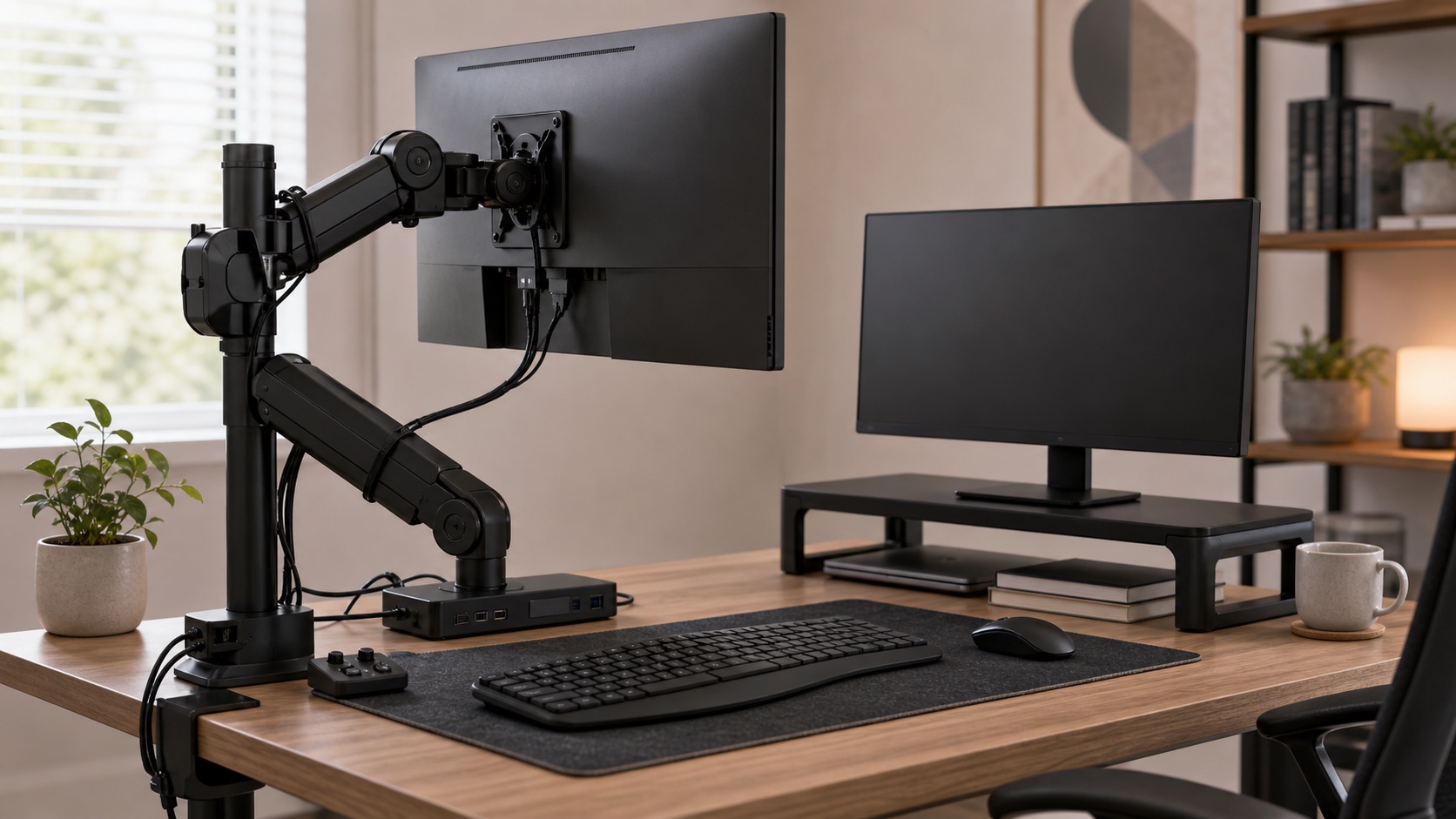
Unbranded budget arms, novelty wall mounts, and motorized arms for normal Zoom work. Most remote workers never need them.
Verify weight ratings on real specs, not "fits up to 34 inches" marketing.
Compatibility Checklist (Read This First)
This is where most monitor-arm regret comes from. Run through these checks before you pick a brand.
Check the monitor's weight, not just screen size. "Fits up to 34 inches" is not a weight rating. Look up the pounds on your monitor's spec sheet and pick an arm rated above that with room to spare. Some curved 34-inch ultrawides are 15+ lb; many curved 49-inch panels are 25+ lb.
Check the VESA pattern. Common patterns are 75x75 mm and 100x100 mm. Larger monitors can use 200x200 mm and need an adapter bracket. A few displays, including some Apple monitors, do not have native VESA and need a separate mount kit.
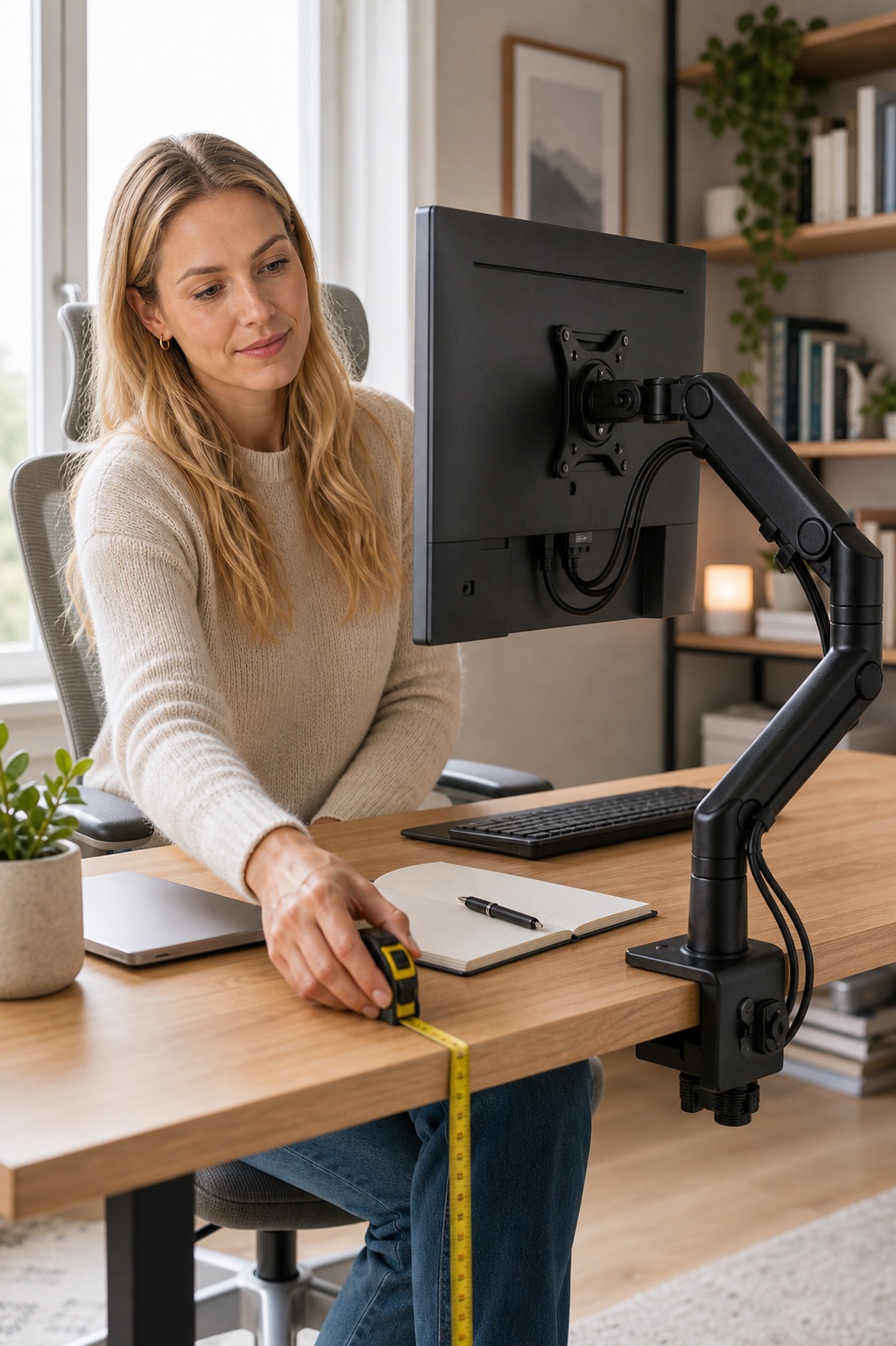
Measure your desk thickness and clamp jaw opening. Most c-clamps cap at 2.4 to 3 inches. Anything thicker needs a wide-jaw clamp, a grommet mount through a hole in the desktop, or an extended clamp accessory.
Check your desk material. Solid wood is the easiest. Particleboard under 0.75 inches can flex under heavy-arm load. Glass and tempered surfaces need a reinforcement plate. Thin metal or fragile veneer is risky.
Use a reinforcement plate for glass or fragile desks. The MOUNTUP plate is the most-cited accessory for this; it distributes clamp pressure so the surface does not crack.
Check wall clearance behind the desk. Some arm bases extend several inches backward. Measure the gap to your wall before ordering.
Gas spring or mechanical? Gas spring is smoother for daily repositioning. Mechanical is cheaper, more durable over years, and a better set-and-forget choice. We unpack this below in Gas Spring vs Mechanical.
Two singles vs one dual? Two singles offer more independent positioning; one dual saves desk space and aligns matched monitors. We unpack this below in Best Setup by Situation.
Standing desks amplify wobble. Even a good arm will sway a little if the desk top flexes. Tighten the clamp and reinforce thin desktops if needed.
Monitor Arm Comparison Table
| Pick | Best For | Monitor Size / Weight Fit | Adjustment | Mount | Review Signal | Main Caveat | Price Tier | Buy If / Skip If |
|---|---|---|---|---|---|---|---|---|
| HUANUO FlowLift Single | Most home offices, single 24-27" | 13-32" / up to 19.8 lb | Gas spring | C-clamp + grommet | High volume, 4.6★ / ~16K | Stability mixed; not for ultrawides | Budget | Buy for standard single; skip for 32"+ ultrawides |
| VIVO Single STAND-V001 | Set-and-forget single budget | 13-38" ultrawide / up to 22 lb | Mechanical | C-clamp + grommet | Very high volume, 4.5★ / ~20K | Less smooth than gas spring | Budget | Buy for longevity; skip if repositioning often |
| HUANUO FlowLift Dual | Two matched 24-27" monitors | 13-32" / 19.8 lb each | Gas spring | C-clamp + grommet | Very high volume, 4.6★ / ~34K | Stability mixed; center-post wobble | Mid | Buy for matched dual; skip for asymmetric setups |
| VIVO Dual STAND-V002 | Highest-volume budget dual | 17-32" / 22 lb each | Mechanical | C-clamp + grommet | Category-leading volume, 4.6★ / ~60K | Range of motion mixed | Budget | Buy for static dual; skip if you reposition daily |
| HUANUO TitanLift | Ultrawides + 32"+ monitors | Up to 49" / 44 lb | Gas spring (heavy-duty) | Dual c-clamp | Medium volume, 4.4★ / ~1.4K | Max VESA 100x100; verify pattern | Mid | Buy for ultrawides; skip if VESA is 200x200 |
| Ergotron LX | Premium / heavy daily use | Up to 34" / 7-25 lb | Gas spring (premium) | C-clamp + grommet | 4.6★ / ~4.1K — all aspects positive | About $200; overkill for static use | Premium | Buy if you'll keep it 10 years; skip if budget is tight |
| MOUNTUP Reinforcement Plate | Glass / thin / fragile desks | Standard c-clamp footprint | N/A (accessory) | Sits under c-clamp | 4.7★ / ~280 (small pool, positive) | Reduces risk; not bulletproof | Accessory | Buy with any arm if your desk is glass; skip if solid wood |
| WALI Ultrawide | Budget ultrawide alternative | 17-49" / up to 33 lb | Gas spring | C-clamp | Mixed: stability is the loudest flag | Stability mixed on 1,195 mentions | Mid | Buy only as a budget alt; skip for curved 49" |
Best Monitor Arms for Home Office Setups in 2026
1. HUANUO FlowLift Single Monitor Mount
Usually around $35 - check current price
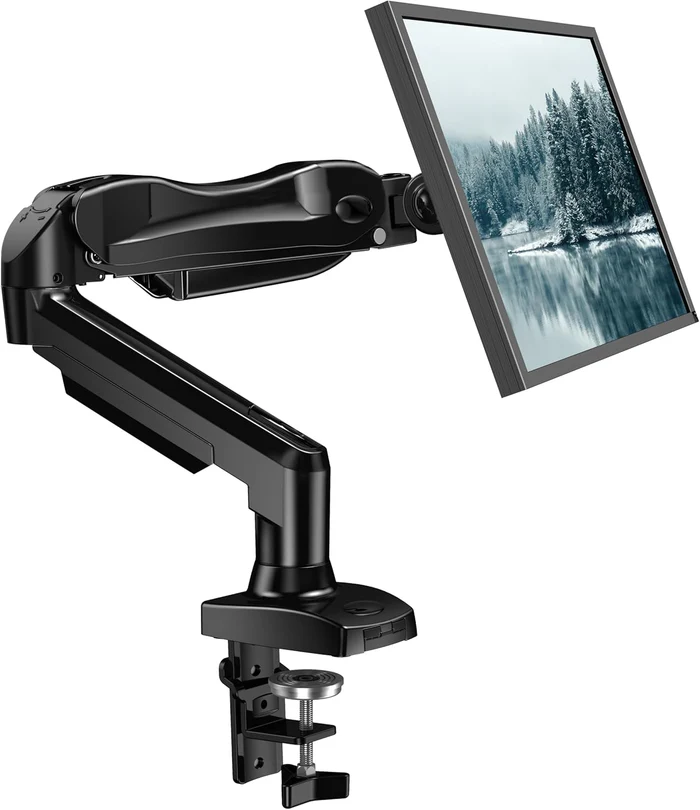
The HUANUO FlowLift Single is the safest first buy for most home-office workers. It is a gas-spring single arm, fits 13 to 32 inch monitors up to 19.8 lb, supports both VESA 75x75 and 100x100, and ships with both a c-clamp and a grommet base. At around $35 with roughly 16,000 ratings, it is the volume leader in the mid-budget gas-spring single category.
The trust caveat is the one to take seriously. Amazon's review summary flags stability and range of motion as mixed aspects. That is consistent with the price tier: gas-spring tension on cheaper arms can drift, and the center post is not as rigid as a premium Ergotron base. For a single 24 to 27 inch monitor on a normal wood desk, that trade-off is fine. For a 32-inch 4K monitor, a curved ultrawide, or a flexing standing desk, you want the HUANUO TitanLift or Ergotron LX instead.
Validated specs: gas-spring single arm, 13-32" / 4.4-19.8 lb, VESA 75x75 and 100x100, c-clamp + grommet base, cable management built in.
Researched buyer feedback: review patterns are strongest on quality, installation, sturdiness, functionality, value for money, and adjustability. The mixed aspects — stability and range of motion — show up as a category-level pattern, not a deal-breaker.
Pros
- Strong gas-spring smoothness at a mid-budget price
- Highest volume Amazon validation in the tier
- Both c-clamp and grommet base included
- Cable routing built in
Cons
- Stability is the recurring mixed aspect in review summaries
- Not rated for ultrawides or heavy 32-inch monitors
- Gas-spring tension can drift over years on cheaper arms
Best for: single 24-27 inch monitor users on solid wood desks, first-time monitor-arm buyers, anyone replacing a stock monitor stand.
Skip if: you have a 32"+ 4K, a curved ultrawide, a glass desk without a reinforcement plate, or a thin/flexing desktop.
2. VIVO Single Monitor Arm STAND-V001
Usually around $35 - check current price
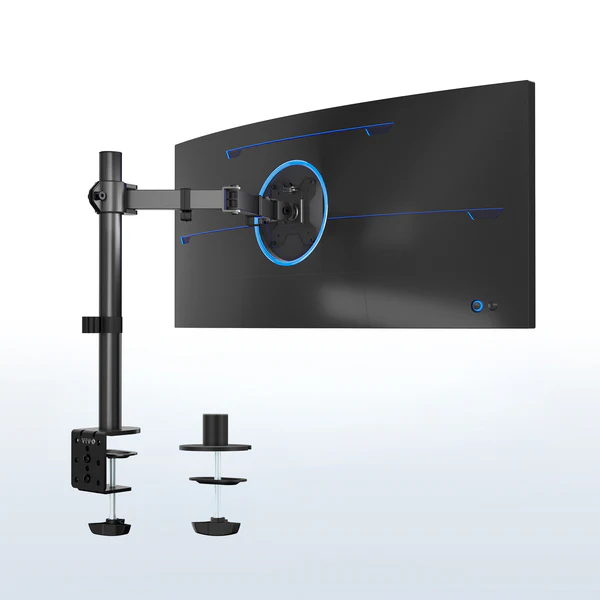
If smoothness does not matter to you and longevity does, the VIVO STAND-V001 is the budget pick. It is a mechanical single arm — meaning you tighten the joints instead of riding a gas spring — and it fits screens up to 38 inches ultrawide or 32 inches regular at up to 22 lb. The interesting signal: durability is the top positive aspect in Amazon's review summary with over 1,400 mentions. That is unusual for a $35 arm and points to the trade-off making the product more robust.
The trade-off is real, too. Amazon flags range of motion, adjustability, and articulation as mixed aspects. Translation: this arm is great if you set it once and leave it. It is not great if you move your monitor multiple times a day or you want a single-handed glide. For static dual workers, see the VIVO Dual; for repositioners, see the gas-spring picks above.
Validated specs: mechanical single arm, 13-38" ultrawide / regular up to 32" / 22 lb, VESA 75/100, c-clamp + grommet base, steel build.
Researched buyer feedback: positive aspects include durability, quality, assembly, functionality, and value for money. Mixed aspects include stability, adjustability, and articulation.
Pros
- Durability is explicitly the top positive aspect
- Holds heavier 22 lb monitors than the FlowLift Single
- Cheap and well-built for the price
- Highest single-arm review volume after HUANUO FlowLift Single
Cons
- Mechanical adjustment is not smooth
- Stability, articulation, and adjustability are mixed
- Tightening joints requires occasional adjustment over time
Best for: static single-monitor remote workers, longevity-focused buyers, anyone who wants the cheapest legitimate arm for one screen.
Skip if: you reposition your monitor daily or you want gas-spring smoothness.
3. HUANUO FlowLift Dual Monitor Stand
Usually around $60 - check current price
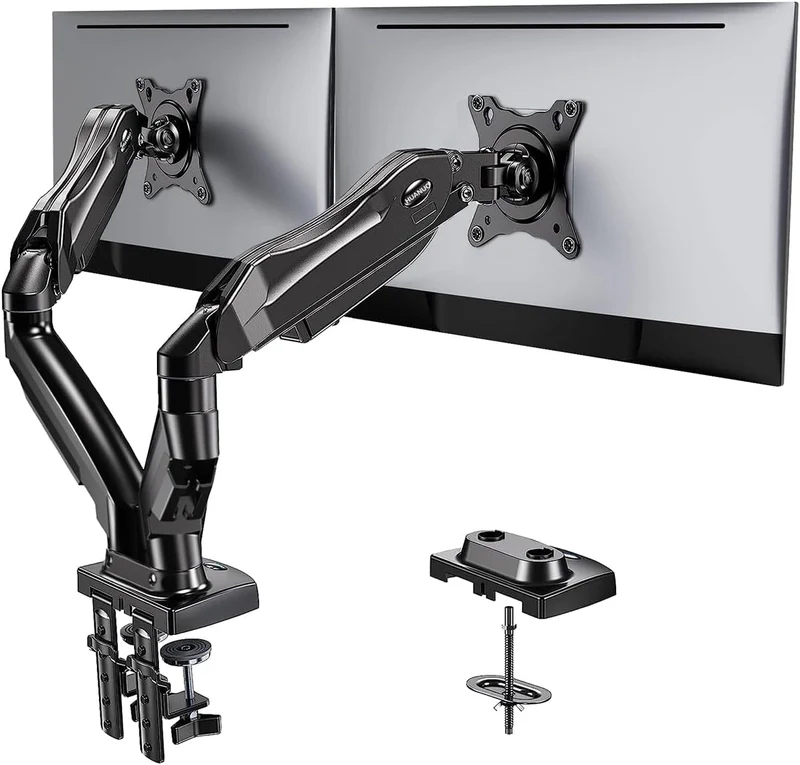
If you run two monitors and want a single tidy mount, the HUANUO FlowLift Dual is the most-reviewed gas-spring dual in the category. Two arms ride a single c-clamp post, each rated for 4.4 to 19.8 lb on screens 13 to 32 inches. Amazon's review summary leans heavily positive on easy install, quality, sturdiness, functionality, adjustability, value for money, and range of motion.
The honest caveat — and this is true of every center-post dual at this price — is that stability is the mixed aspect, with about 915 mentions. Two monitors hanging off one post is more leverage than a single monitor, and that leverage is felt as small sway when the desk moves. If your monitors are matched 24 to 27 inch displays on a solid wood desk, this is the dual to get. If you have asymmetric sizes, very heavy panels, or a flexing standing desk, look at two single arms or step up to a heavier-duty dual.
Validated specs: gas-spring dual arm, two arms each 13-32" / 4.4-19.8 lb, VESA 75x75 and 100x100, c-clamp + grommet base, cable management.
Researched buyer feedback: "easy to install" is the top positive aspect with ~1,900 mentions — installation is not the issue. Quality, sturdiness, value, functionality, adjustability, range of motion all positive. Stability mixed.
Pros
- Most-reviewed gas-spring dual on Amazon
- "Easy to install" is the top positive aspect
- Both arms ride smoothly on gas spring
- Single c-clamp means a clean install
Cons
- Center-post duals are more prone to sway than two singles
- Stability is the mixed aspect across ~915 mentions
- Not ideal for asymmetric monitor pairs
Best for: matched dual 24-27 inch monitor setups on solid desks.
Skip if: your monitors are different sizes, you have a flexing standing desk, or you have one ultrawide plus one normal monitor (use two singles instead).
4. VIVO Dual Monitor Desk Mount STAND-V002
Usually around $35 - check current price
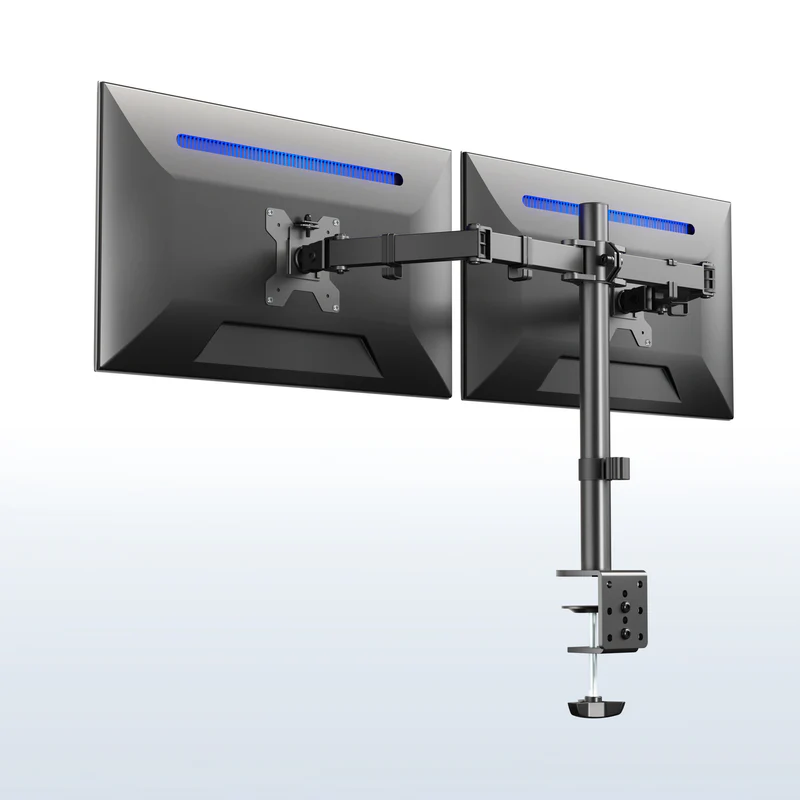
The VIVO STAND-V002 has more ratings than any other monitor arm we found — over 60,000 — and the review summary is overwhelmingly positive on quality, assembly, sturdiness, value for money, functionality, and build quality. The same mechanical-design trade-off as the VIVO Single applies: range of motion and adjustability are the mixed aspects.
The way to think about this arm: it is the cheapest legitimate dual on the market, and the longevity is real. It is not as smooth as the HUANUO Dual above. For a static engineering or analyst desk where two monitors sit aligned all day, this is plenty. For a daily-reconfigure-the-screens kind of workflow, get the gas-spring version.
Validated specs: mechanical dual arm, screens up to 32" each / 22 lb each, VESA 75/100, c-clamp + grommet, steel build.
Researched buyer feedback: quality, assembly, sturdiness, value for money, functionality, and build quality all positive. Range of motion and adjustability mixed.
Pros
- Highest review volume of any monitor arm in our research
- Sturdy steel build praised consistently
- Cheapest legitimate dual arm
- Holds heavier 22 lb monitors than HUANUO FlowLift Dual
Cons
- Mechanical adjustment, not gas spring
- Range of motion is the mixed aspect
- Best as a set-and-forget dual, not a daily reconfigure
Best for: static dual-monitor setups, developers, analysts, anyone who wants the cheapest sturdy dual.
Skip if: you reposition monitors daily or you want gas-spring smoothness.
5. HUANUO TitanLift Heavy-Duty Monitor Arm
Usually around $90 - check current price
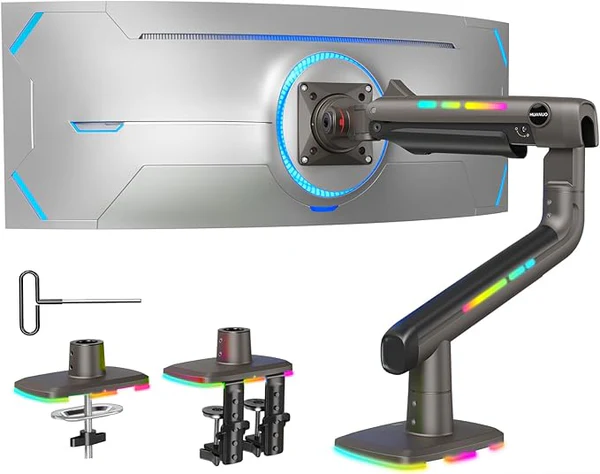
For 32-inch monitors, 34-inch ultrawides, and the lighter end of 49-inch curved panels, the HUANUO TitanLift is the mid-budget heavy-duty pick. It is an aluminum gas-spring arm rated for screens up to 49 inches at 44 lb, with a dual c-clamp that gives it more lateral stability than a single-clamp arm.
The caveat to read carefully: max VESA is 100x100. That covers most monitors, but some larger displays use 200x200 and need a separate adapter bracket. Amazon's review summary flags fit as the mixed aspect — buyers running into VESA pattern surprises. Check your monitor's spec sheet for the VESA hole spacing before ordering, not after.
Validated specs: heavy-duty gas-spring single arm, up to 49" / 44 lb, aluminum, dual c-clamp, max VESA 100x100.
Researched buyer feedback: sturdiness, quality, easy to install, value for money, articulation, adjustability, and functionality all positive. Fit is the mixed aspect.
Pros
- 44 lb weight rating with room for most ultrawides
- Aluminum build, dual c-clamp for stability
- Cheaper than Ergotron LX HD at similar weight rating
- Gas-spring smoothness even at the heavy end
Cons
- Max VESA 100x100 (some big monitors need 200x200)
- Fit is the recurring mixed aspect
- Smaller review pool than HUANUO's lighter SKUs
Best for: 32-inch 4K monitors, 34-inch ultrawides, lighter 49-inch curved monitors, ultrawide users who do not want to pay Ergotron prices.
Skip if: your monitor uses 200x200 VESA without an adapter, or you have a 30+ lb 49-inch panel (look at Ergotron LX HD).
6. Ergotron LX Single Monitor Arm
Usually around $200 - check current price
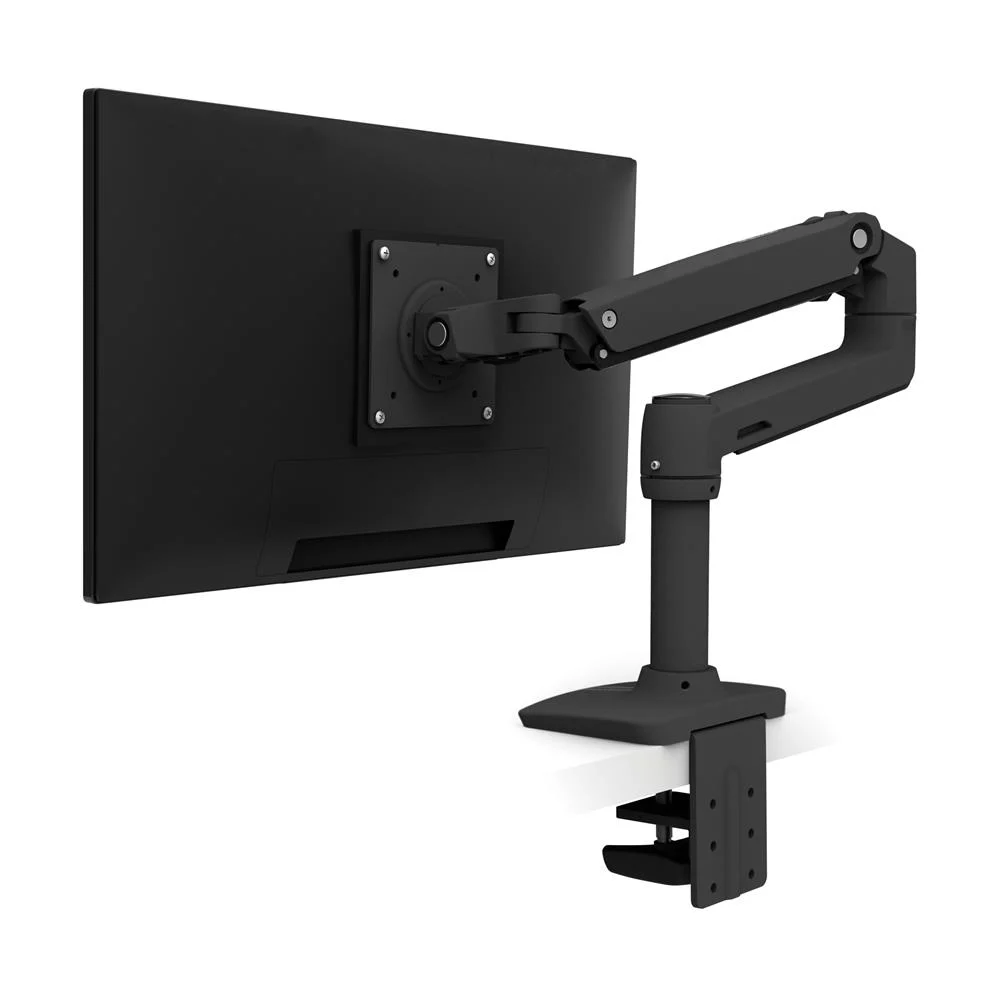
Ergotron LX is the premium benchmark of the category. It is Wirecutter's longstanding top pick, it shows up across PCWorld, WIRED, and BTOD reviews, and it is the only arm in this research where Amazon's "Customers say" summary marks every single aspect positive, including stability — the one aspect that is mixed on almost every cheaper arm we checked.
The other side of the trade-off is the price. At around $200, it is 4 to 6 times what the HUANUO and VIVO singles cost. That is fine if you are on camera 4+ hours a day, you reposition your monitor often, or you plan to keep the arm for a decade. If you have a single static 24-inch monitor and you are not going to move it, you do not need to spend this much. Ergotron also rates the LX for 25 lb, so for heavier 34-inch curved ultrawides at the top of the weight range, the TitanLift or Ergotron's heavier LX HD is the safer call.
Validated specs: premium gas-spring single arm, fits flat/curved/ultrawide up to 34" / 7-25 lb, VESA 75x75 or 100x100, polished aluminum.
Researched buyer feedback: quality, adjustability, sturdiness, installation, stability, functionality, value for money, and versatility are all positive. No mixed or negative aspects in the snapshot we checked.
Pros
- Universally positive aspect-chip profile
- Stability is positive, not mixed (rare in this category)
- Built to last a decade-plus
- Genuine premium build and polish
Cons
- About $200 — 4-6x the budget picks
- Overkill for static single 24-inch setups
- 25 lb rating maxes out before some heavy ultrawides
Best for: heavy daily users, client-facing remote workers, anyone who wants to buy once and forget, repositioners.
Skip if: you only need a single static monitor on a tight budget, or your monitor is over 25 lb.
7. MOUNTUP Monitor Mount Reinforcement Plate
Usually around $20 - check current price
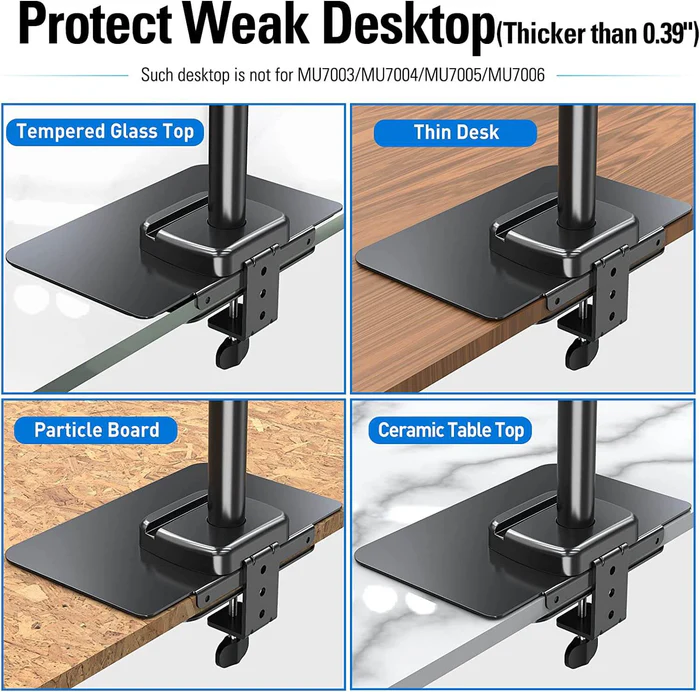
This is the one accessory we will be insistent about. If your desk is glass-top, tempered, or a thin particleboard the c-clamp can flex, do not skip the reinforcement plate. The MOUNTUP plate is a flat steel bracket that sits between your desk and the c-clamp, spreading the clamp's load over a wider area so the surface does not crack or compress. At around $20, it is the cheapest insurance policy in this article.
One honest caveat: a reinforcement plate reduces the risk of cracking a glass desk. It does not eliminate it. Tempered glass is still not the right surface for a 30+ lb curved 49-inch monitor on a heavy-duty arm; for those setups, mount the arm to a solid wood desktop or use a wall mount instead. For 24-27 inch monitors on a glass desk with a reinforcement plate, the configuration is widely used and reviewers report it works.
Validated specs: steel reinforcement plate, designed for standard c-clamp footprint, used on tempered glass and thin desks.
Researched buyer feedback: sturdiness, quality, and installation all positive. Review pool is small (around 280 ratings) but sentiment is consistently positive.
Pros
- Cheapest insurance against glass-desk cracking
- Compatible with most standard c-clamps
- Solid steel build
- Useful on thin or flexing desktops too
Cons
- Smaller review pool than the arms themselves
- Does not eliminate risk on very heavy ultrawides
- Adds a small step to install
Best for: glass-desk owners, thin or particleboard desks, anyone unsure about how their desktop will handle a c-clamp load.
Skip if: you have a solid wood desk with a thick edge — you do not need this.
8. WALI Heavy-Duty Single Monitor Arm (Ultrawide)
Usually mid-budget under $100 - check current price
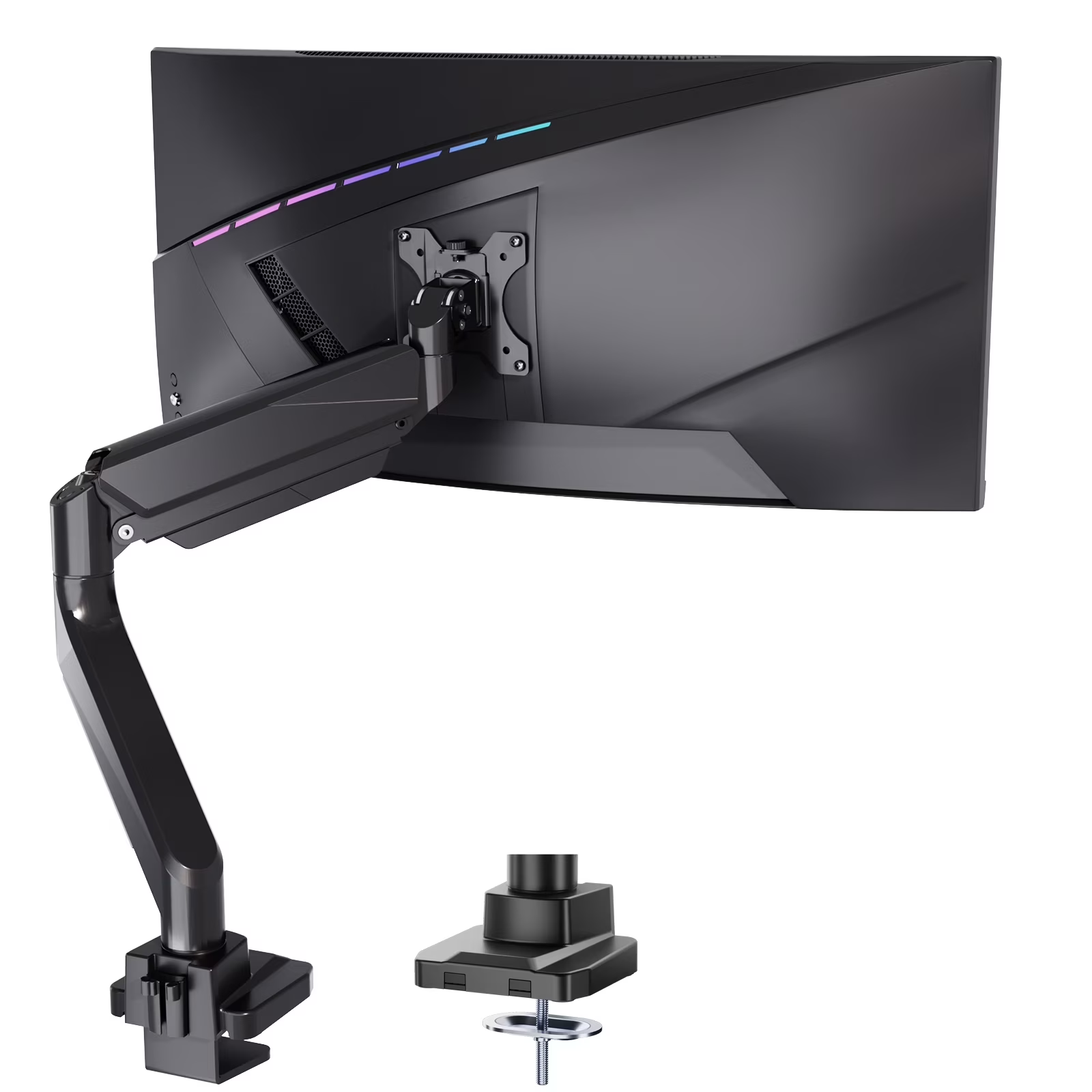
We are including WALI's heavy-duty ultrawide arm with an open caveat. It supports 17 to 49 inch flat or curved screens up to 33 lb, and the positive aspects in Amazon's review summary are real — quality, assembly, functionality, value for money, and monitor support all lean positive. But stability is the mixed aspect, and at 1,195 mentions it is the loudest stability flag we found anywhere in this validation.
That doesn't make this a bad arm. It makes it the wrong arm for very heavy curved 49-inch monitors and the wrong arm if you cannot tolerate any visible sway. If TitanLift is out of stock, or if you specifically want a cheaper option for a lighter 34-inch ultrawide, WALI is the alternative. For a curved 49-inch panel or a desk-rocking workflow, default to HUANUO TitanLift or step up to Ergotron LX HD.
Validated specs: heavy-duty gas-spring single, 17-49" / up to 33 lb, VESA 75/100, c-clamp.
Researched buyer feedback: quality, assembly, functionality, value for money, monitor support positive. Stability mixed across 1,195 mentions — the dominant concern. Adjustability and tilt also mixed.
Pros
- Cheaper than HUANUO TitanLift on most days
- Up to 33 lb rating covers most 34-inch ultrawides
- Quality and assembly praised in reviews
Cons
- Stability is the loudest mixed-aspect signal in our research
- Tilt and adjustability also mixed
- Below 44 lb of TitanLift — riskier for heavy 49-inch panels
Best for: budget-conscious 34-inch ultrawide users on solid desks.
Skip if: you have a curved 49-inch monitor, a standing desk, or you cannot tolerate sway.
Cautious mentions: arms to research before buying
North Bayou F80 / G70-W. The North Bayou F80 is the most-installed monitor arm on YouTube — one install tutorial alone has 448K views. On Amazon, the F80 is harder to surface; the closely related G70-W has only a few hundred reviews. Buyer sentiment is positive but the review pool is small, so treat this as a "YouTube classic" rather than a fully validated pick. Check current North Bayou reviews before deciding.
Ergotron LX Pro Dual. A newer Ergotron SKU that pairs two LX arms on a single base. Early review volume is too small to validate confidently. If you specifically want the Ergotron dual upgrade, it is the natural pick; otherwise the HUANUO FlowLift Dual or two single Ergotron LX arms are better-validated options.
White monitor arms. White is a finish variant on the same SKUs, not a separate product. HUANUO, VIVO, and Ergotron all offer white versions of the arms above. Choose by function, then by color.
Best Setup by Situation
Simple Single Monitor Setup
One HUANUO FlowLift Single on a c-clamp at the back edge of a solid wood desk. Run the cable through the built-in routing. That covers 90% of home offices.
Dual Matched Monitors
If both monitors are the same size and weight, the HUANUO FlowLift Dual or the budget VIVO Dual STAND-V002 on one center-post c-clamp. Two arms riding a single base looks tidy and aligns easily.
Mismatched Dual Setup (ultrawide + small)
Skip the dual arm. Use two single arms — one TitanLift for the ultrawide, one FlowLift Single for the smaller monitor. You get independent positioning, no leverage problems, and each clamp anchors separately. Costs more, works better.
Ultrawide / 32-inch / Curved Monitor
Default to the HUANUO TitanLift for 34-inch ultrawides and lighter 49-inch curved panels. Step up to Ergotron LX HD or a wall mount for heavier 30+ lb curved 49-inch monitors. Always verify VESA pattern (75x75 vs 100x100 vs 200x200) on the monitor spec sheet.
Glass Desk
Add the MOUNTUP reinforcement plate under any c-clamp, on any arm. Stick to lighter 24-27 inch monitors on tempered glass. For ultrawides on glass, consider a wall mount or move to a wood-top desk; glass is not the right surface for high-leverage loads.
Thick Desk
Measure your desk-edge thickness first. Most c-clamps cap around 2.4 to 3 inches. If your desk is thicker, look at the wide-jaw HUANUO TitanLift, an extended-clamp accessory, or a grommet mount that goes through a hole in the desktop.
Standing Desk
A monitor arm is more useful on a standing desk than a fixed one, because the keyboard height and screen height stop matching. Expect a little sway when the desk moves. Tighten the clamp. If the desk top flexes visibly, a reinforcement plate under the c-clamp will help. The Ergotron LX is the safest stability pick on standing desks.
Premium / Buy-Once Setup
Ergotron LX for the single, or two Ergotron LX arms instead of one dual. Pair with a daylight desk lamp, a quality webcam, and a USB hub. This is the configuration to build if you plan to keep the desk for a decade.
Monitor Arm vs Monitor Stand
A monitor arm clamps to your desk and replaces the stock stand entirely. The advantages: zero desk-footprint under the monitor, full height/tilt/swivel adjustment, and easy repositioning. The trade-off: a clamp install plus a compatibility-check process you can skip with a stand.
A monitor stand or riser sits on top of the desk and lifts the monitor a few inches. The advantages: no clamp, no install, no compatibility worries. The trade-off: the monitor base still takes desk space, you cannot tilt or swivel much, and you cannot adjust height beyond the riser's fixed dimensions.
Buy a monitor arm if you want a cleaner desk, an ergonomic height, or you reposition during the day. Buy a stand or riser if you just want to lift the screen a few inches and walk away. For more context, see our Is a monitor arm worth it? guide.
Gas Spring vs Mechanical Monitor Arms
A gas-spring arm uses a pressurized strut that balances the monitor's weight so you can pull it down, up, forward, or back with one hand. It feels smooth in normal use. The downside: gas-spring tension can drift over time on cheap arms, which is why review summaries flag "stability" or "won't stay up" on budget gas-spring models.
A mechanical arm uses tightening joints that you adjust once and lock in place. It is cheaper, lasts longer with fewer moving parts that wear, and is rock-solid in the position you set. The downside: you cannot smoothly slide the monitor around; you tighten and loosen joints.
The simplest decision rule: gas spring if you move your monitor more than once a week, mechanical if you set it once and leave it. The HUANUO FlowLift Single and Ergotron LX are gas-spring. The VIVO STAND-V001 and VIVO STAND-V002 are mechanical.
Trust Caveats Before You Buy
- This is researched, not hands-on tested. Picks are based on validated specs, Amazon "Customers say" review summaries, Google and YouTube SERP patterns, and Reddit-style buyer feedback, not controlled side-by-side load testing.
- "Fits up to 34 inches" is not a weight rating. Always check the monitor's actual pounds against the arm's spec. The most common mistake in this category is buying by screen size instead of weight.
- Cheap gas-spring arms can sag or drift. Stability is the recurring mixed aspect on the HUANUO FlowLift Single, FlowLift Dual, VIVO Single, and WALI ultrawide arms. This is a price-tier signal, not a brand flaw.
- Mechanical arms are durable but less smooth. If smoothness matters to you, get gas-spring. If longevity matters, get mechanical.
- Glass desks are risky without reinforcement. A reinforcement plate reduces crack risk but does not eliminate it for very heavy monitors.
- Thick desks and desks with lips may reject standard clamps. Measure first.
- Standing desks can make even good arms wobble. The flex is in the desk top, not the arm.
- Do not trust heavy or expensive monitors to generic no-name arms. Verify a real brand and real review volume before mounting anything over 20 lb.
- Prices and review counts change. The numbers above are snapshots from May 2026. Re-check before clicking buy.
What To Skip First
- Generic no-name Amazon arms. "Fits up to 34 inches" with a 4.5-star rating and no brand history is the easy way to crack a desk or sag a monitor. Stick to brands with verifiable volume.
- Wall mounts for normal desk setups. They work, but they require drilling into a stud, do not reposition easily, and limit cable routing. A desk-clamp arm is more flexible for 95% of home offices.
- Triple and quad monitor arms for normal Zoom work. Built for traders, control rooms, and gamers. Overkill, expensive, and a stability headache for most remote workers.
- Motorized monitor arms for casual use. The headline feature does not survive the daily reality of cables and budget.
- Pole-mounted multi-screen rigs unless you actually have four monitors. They look professional. They also limit your future flexibility.
- "White monitor arm" as a separate purchase decision. White is a finish; pick the right arm, then pick the color.
- Premium arms for static single 24-inch monitors. If you are never going to move the screen, the cheaper mechanical arm is the right pick.
FAQ
What is the best monitor arm for most home offices?
For most home-office workers using a single 24 to 27 inch monitor, a mid-budget gas-spring single arm like the HUANUO FlowLift Single is the safest first buy. Dual-monitor setups should look at the HUANUO FlowLift Dual or VIVO STAND-V002, ultrawide and heavy monitors need a heavy-duty arm like the HUANUO TitanLift or Ergotron LX, and glass desks should add a MOUNTUP reinforcement plate before clamping anything heavy.
How do I know if a monitor arm will fit my monitor?
Check three things on the monitor's spec sheet: weight in pounds, VESA pattern in millimeters (commonly 75x75 or 100x100, occasionally 200x200), and physical depth. Then check that the arm's listed weight rating covers your monitor with room to spare. Marketing copy like "fits up to 34 inches" is not a weight rating.
Can I use a monitor arm on a glass desk?
Yes, but only with a reinforcement plate that spreads the clamp pressure across a wider area. The MOUNTUP Monitor Mount Reinforcement Plate is the most-cited accessory for this. Even with a plate, tempered glass is not the right surface for very heavy ultrawides or curved 49-inch monitors. Use solid wood or a desktop with a reinforcement panel for those.
What is better, a dual monitor arm or two single arms?
Two single arms offer more independent positioning and usually feel more stable because each clamp anchors separately. One dual arm saves desk space and aligns two matched monitors at the same height more easily. If your monitors are different sizes or weights, two singles are usually the better choice.
Do monitor arms wobble?
Mid-budget gas-spring arms can show some sway, especially on standing desks or thin desktops. Stability shows up as a mixed aspect in Amazon review summaries for the HUANUO FlowLift Single, HUANUO FlowLift Dual, VIVO Single, and WALI ultrawide arms. Tightening the clamp, adding a reinforcement plate, or upgrading to an Ergotron LX usually reduces wobble. A flexing desk top will still flex no matter what you mount to it.
Is an expensive monitor arm worth it?
It depends on how often you reposition your monitor and how long you plan to keep the arm. Ergotron LX is the only arm in our research set where every aspect chip in Amazon's review summary was positive, including stability. The trade-off is the $200 price tag, which is 4 to 6 times the budget picks. For a static single 24-inch monitor, a HUANUO or VIVO arm is enough. For heavy daily repositioning, ultrawides, or a buy-once mindset, the upgrade pays off over time.
What is the difference between gas-spring and mechanical monitor arms?
A gas-spring arm uses a pressurized strut to balance the monitor's weight so you can move it smoothly with one hand. A mechanical arm uses tightening joints that you adjust once and leave in place. Gas-spring arms are nicer for daily repositioning. Mechanical arms tend to be cheaper, more durable over years, and a better fit for set-and-forget single-position setups.
What monitor arm should I buy for a 34-inch ultrawide?
The HUANUO TitanLift is the mid-budget heavy-duty pick for 34-inch ultrawides, rated to 44 pounds with max VESA 100x100. The Ergotron LX is the premium pick, rated for ultrawides up to 34 inches and 25 pounds with a polished build. Check the monitor's actual weight on the spec sheet before buying. Some curved ultrawides are heavier than they look.
Will a monitor arm fit a thick desk?
Most monitor arm c-clamps cap at about 2.4 to 3 inches of desk-edge thickness. For thicker desks, look for arms marketed for thick desks, use a grommet mount that goes through a hole instead of clamping the edge, or buy an extended clamp accessory. Measure the desk edge with a tape measure before ordering — clamp jaw width is the most common compatibility surprise.
Can I use a monitor arm on a standing desk?
Yes, and most remote workers with a standing desk benefit more from an arm than fixed-desk users do, because the monitor and keyboard need independent heights. Expect a little sway when the desk moves. Tighten the clamp, choose a sturdier arm, and consider a desk reinforcement plate if the desktop is thin or flexes.
Do I need a grommet mount?
Only if your desk does not have a clampable edge, your desk is thicker than the c-clamp jaw, or you want a permanent install. Most arms in this guide ship with both a c-clamp and a grommet base, so you can choose at install time. A grommet mount needs a hole drilled through the desktop, so it is not a casual decision.
Are white monitor arms different?
Functionally no. White is a finish variant on the same SKUs as black or silver. HUANUO, VIVO, and Ergotron all offer white versions of their main arms. Marketplace data did not show a separate "white monitor arm" product category — color is a preference, not a buying constraint.
Final Verdict
If you want one simple answer: get the HUANUO FlowLift Single if you have one 24 to 27 inch monitor on a normal desk. Get the HUANUO FlowLift Dual if you run two matched displays. Step up to the HUANUO TitanLift for ultrawides or 32-inch+ monitors. Pay for the Ergotron LX if you reposition daily, take client calls, or plan to keep the arm for a decade. If you have a glass desk, add a MOUNTUP reinforcement plate no matter what arm you pick.
The real RemoteLyfe answer, though: pick the right arm for your desk, not just your monitor. Compatibility — weight, VESA, clamp jaw, desk material — beats brand prestige every time. The cheapest "right" arm is better than the most expensive "wrong" one.